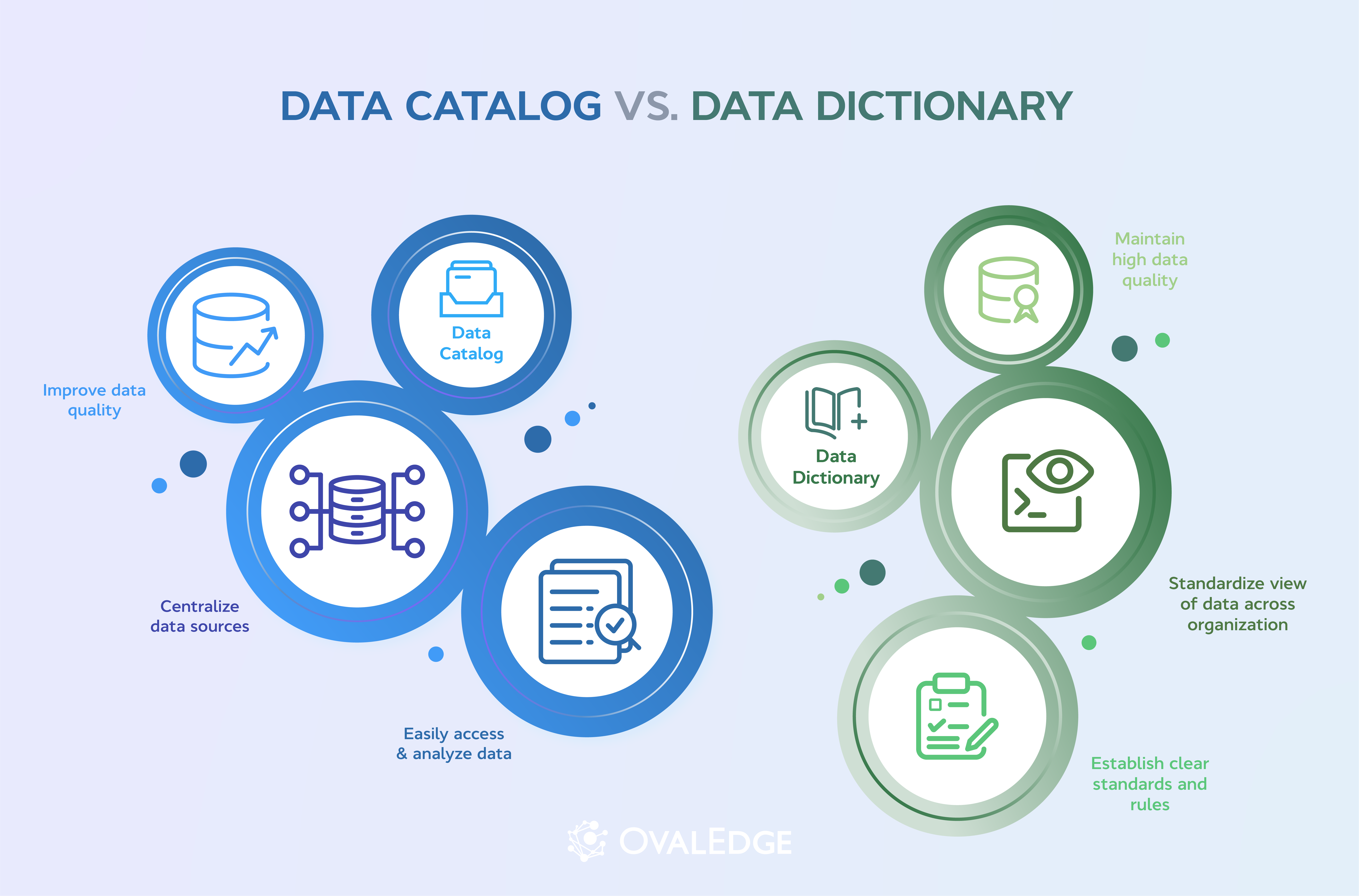
Data dictionaries document technical metadata within individual databases, while data catalogs organize enterprise-wide data assets with ownership, lineage, quality, and governance context. Organizations need both to reduce ambiguity, improve compliance, and support trusted analytics and AI. Start with dictionaries for schema clarity, then scale through catalogs that keep metadata searchable, current, governed, and aligned with shared business definitions.
A data dictionary documents the technical metadata of a single database. Think column names, data types, relationships, and rules. A data catalog sits a layer above that. It is an organization-wide inventory of every data asset, the people who own it, where it flows, and how trusted it is.
Most enterprise data teams need both. The dictionary describes the ingredients in one database. The catalog tells the rest of the company which databases exist, who manages them, and whether the data and its metadata are safe to use for analytics, AI, or regulatory reporting.
This guide covers what each one does, the seven differences that matter in 2026, a full side-by-side comparison, and when to use each in practice. It's written for data leaders, stewards, and engineers who already know data gets messy at scale and want a practical view of what to build, in what order, and why.
Quick answer: Data catalog vs data dictionary
|
Data Dictionary |
Data Catalog |
|
|
Scope |
Single database |
Entire data estate |
|
What it documents |
Columns, data types, keys, constraints |
Datasets, owners, lineage, quality scores, classifications |
|
Primary user |
Engineers, DBAs, data modelers |
Analysts, business users, stewards, AI teams |
|
Updated |
Manually, often via dbt or schema migrations |
Automatically, via crawlers and active metadata |
|
Sits inside |
A database or a modeling tool |
A data governance platform |
If a vendor describes a "data dictionary," they usually mean a structured reference for one database, owned by engineers and updated when the schema changes.
If they describe a "data catalog," they usually mean an enterprise platform that includes the dictionary plus governance, lineage, business glossary, and search across every source the company has. The two are not interchangeable. Treating them as if they are is one of the most common reasons a governance program drifts within a couple of years.
What is a data dictionary?
A data dictionary is a structured reference document that describes every data element in a specific database. For each column, it records what the column is called, what kind of value it holds, what rules apply to it, and who is responsible for it. The dictionary is what an engineer reads before joining a new table, what a regulator reads when checking how personal data is stored, and what an AI agent reads when it needs context to write a correct query.
A modern data dictionary captures roughly thirteen attributes per data element. The exact set varies by tool, but the standard list looks like:
-
Source. The system the data lives in (Snowflake, Postgres, Oracle, S3, Salesforce).
-
Table name and description. What the table is, in plain language.
-
Column name and description. The field, and a human-readable definition.
-
Data type. String, integer, timestamp, decimal, and boolean.
-
Nullability. Whether the column is allowed to be empty.
-
Permissible values. The valid set (ACTIVE, CHURNED, TRIAL) or a regex pattern.
-
Primary and foreign keys. Referential constraints that tie the column to other tables.
-
Default values. What the column resolves to if no value is provided.
-
Column statistics. Distribution, min, max, and missing-value rate.
-
Data owner. The steward responsible for the definition and the quality of the column.
-
Data freshness. When the column was last updated.
-
Classifications. Sensitivity tags (PII, PHI, GDPR, HIPAA, financial).
-
Change history. When the column was created or last altered, and by whom.
The first six are what make a dictionary useful at write time, before bad data enters the pipeline. The last seven are what make it useful at audit time and at AI-readiness time, when somebody has to prove what the data is or feed it to a model that needs to reason about it.
|
Also Read: For the playbook on keeping a dictionary current as schemas evolve, see our guide to data dictionary best practices. |
Benefits of a data dictionary
A well-maintained data dictionary is the difference between an engineer who ships a new pipeline in an afternoon and one who burns a week guessing what cust_stat_cd_v2 means. The benefits compound across roles. Engineers move faster. Analysts trust the numbers. Compliance teams have evidence on hand. AI agents and copilots get the context they need to be useful instead of confidently wrong.
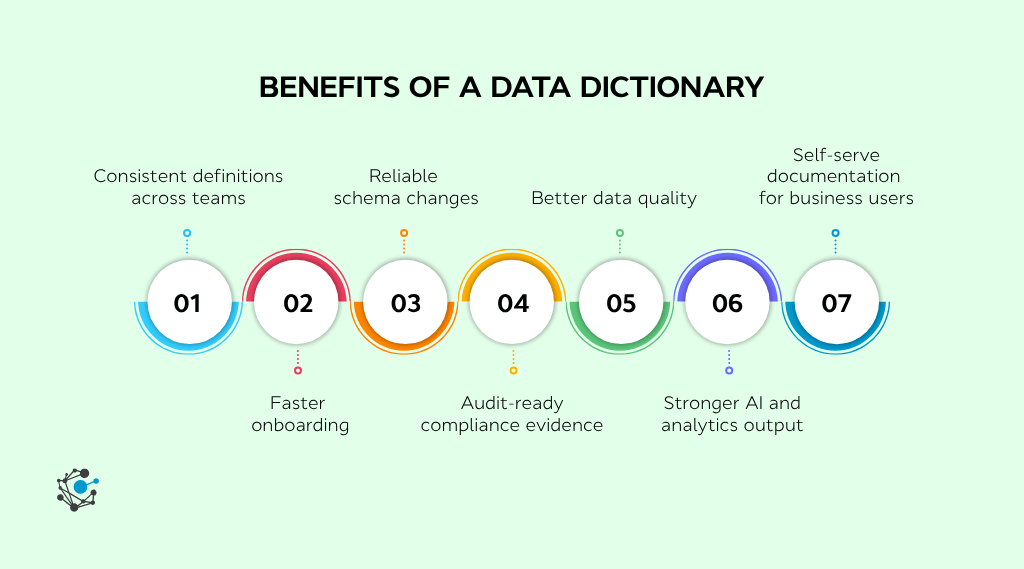
The seven benefits that show up most often in production:
-
Consistent definitions across the organization. Sales, finance, and product use the same column in the same way, which keeps reports from contradicting each other.
-
Faster onboarding for new engineers and analysts. Instead of asking three Slack channels what a field means, a new hire reads the dictionary entry and moves on.
-
Reliable schema changes. When a column is renamed or deprecated, the dictionary records it, so downstream pipelines fail loudly instead of silently.
-
Audit-ready compliance evidence. Regulators ask where PII is stored and how it is tagged. A dictionary answers without screenshots or email threads.
-
Better data quality. Field-level rules (valid ranges, allowed values, nullability) catch bad data at write time, not at dashboard time.
-
Stronger AI and analytics outputs. Models and prompts that read the dictionary as context produce fewer hallucinated joins and fewer incorrect aggregations.
-
Self-serve documentation for the wider business. A non-technical product manager can confirm what "active subscriber" means without paging an engineer.
The catch is that a dictionary is only useful if it stays current. A dictionary maintained by hand in a wiki goes stale within a quarter. The ones that earn their keep are embedded inside a data catalog that crawls schema changes automatically, and surfaces drift the moment it happens.
| For a side-by-side of the platforms that handle this well, see our roundup of the leading data dictionary tools. |
What is a data catalog?
A data catalog is an enterprise-wide inventory of every data asset a company holds, with the context needed to find, trust, and use it. The catalog records what each dataset is, where it lives, who owns it, how it was produced, what quality signals are attached to it, and which sensitivity rules apply. Analysts and business users search the catalog to find data. Engineers use it to trace lineage when something breaks. Compliance teams use it as the single source of truth for what is governed, by whom, and how.
A modern enterprise data catalog typically includes:
- Datasets and their metadata across databases, warehouses, lakes, BI tools, and SaaS apps.
- Lineage showing where each dataset comes from, what transforms it, and which dashboards depend on it.
- Ownership and stewardship records linking every dataset to the person responsible for it.
- Quality scores based on freshness, completeness, and validation checks.
- Sensitivity classifications (PII, PHI, GDPR, HIPAA) are applied automatically by metadata crawlers.
- Certifications and tags marking which datasets are trusted for which use cases.
- Glossary and dictionary links that connect business terms and technical fields to physical columns.
The 7 differences that actually matter
Once you strip away the overlapping language, seven differences explain how catalogs and dictionaries behave differently in production. The list below is the short version. The full side-by-side table follows.
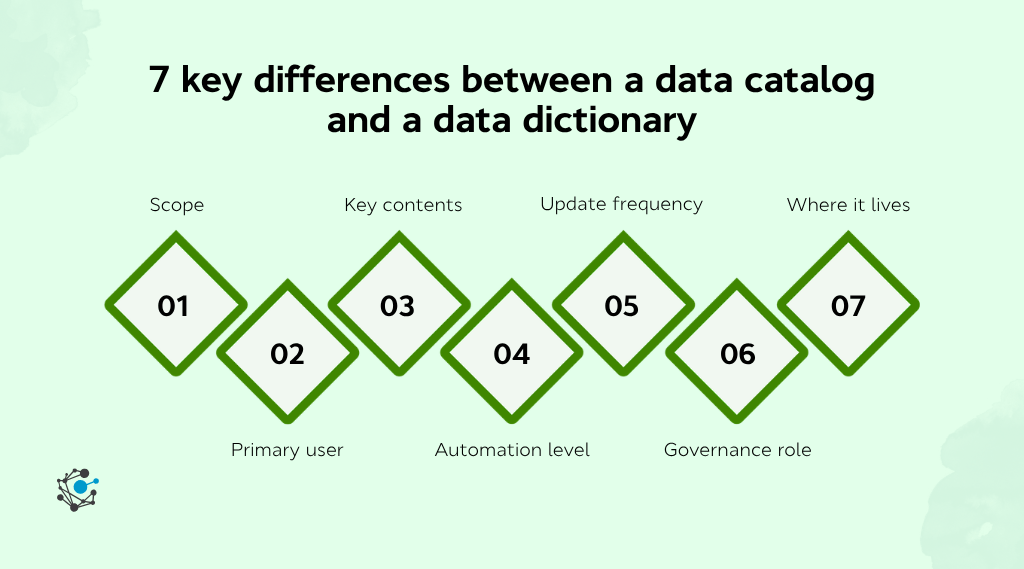
- Scope. A dictionary covers one database. A catalog covers every data asset in the company, across every source the data team manages.
- Primary user. A dictionary is read mostly by engineers, DBAs, and analysts writing SQL. A catalog is read by everyone who touches data, including non-technical business users, compliance teams, and AI teams.
- Key contents. A dictionary holds technical metadata: column names, data types, keys, nullability, and sensitivity tags. A catalog holds datasets, lineage, ownership, quality scores, certifications, and the dictionaries that sit underneath them.
- Automation level. Catalogs are highly automated, with crawlers ingesting metadata across the stack. Dictionaries are partially automated, often via dbt or schema introspection, and still maintained by hand in many legacy environments.
- Update frequency. Catalogs update continuously as the underlying systems change. Dictionaries update on schema change, which can mean once a day in a fast-moving environment or once a quarter in a stable one.
- Governance role. Catalogs play an active governance role: they enforce access, certify datasets, and surface lineage for audit. Dictionaries play a passive role: they provide the technical reference that auditors check against.
- Where it lives. A dictionary lives inside a database or a modeling tool (Oracle, SQL Server, Snowflake, dbt). A catalog lives in its own data governance platform that connects to every other system in the stack.
Data Catalog vs Data Dictionary: Full Comparison
|
Feature / Aspect |
Data Catalog |
Data Dictionary |
|
Definition |
A centralized inventory of data assets across the enterprise, with metadata, ownership, lineage, and governance. |
A reference document that defines the structure, data types, and rules for each element in a specific database. |
|
Primary purpose |
Help users find, understand, and trust data across the company. |
Document the technical structure of a single data source. |
|
Scope |
Enterprise-wide, all sources and assets. |
Database-level, table-and-column detail. |
|
Users |
Analysts, business users, stewards, engineers, and AI teams. |
Engineers, DBAs, developers, data modelers. |
|
Key contents |
Datasets, lineage, profiling, quality scores, ownership, tags, certifications. |
Column names, data types, nullability, primary/foreign keys, formats, allowed values, PII/GDPR/HIPAA classifications. |
|
Automation level |
High. Crawlers ingest metadata across the stack. |
Low to medium. Usually maintained manually or via dbt docs. |
|
Update frequency |
Continuous. |
Per schema change. |
|
Governance role |
Active. Enforces access, certifies datasets, and surfaces lineage for audit. |
Passive. Provides the technical reference that auditors check against. |
|
Where it lives |
Data governance platform (OvalEdge, Alation, Collibra, Informatica). |
Database, dbt project, or modeling tool (Oracle, SQL Server, Snowflake, Dataedo). |
|
Business impact |
Faster data discovery, fewer duplicate datasets, audit-ready governance. |
Fewer ambiguity errors in pipelines, consistent schema documentation. |
When do you need a data catalog vs a data dictionary?
The choice is rarely a catalog or a dictionary. In most enterprise stacks, the dictionary is a component of the catalog. The real question is what you start with.
Start with a data dictionary if:
-
You have one or two core databases, and the rest of the company tolerates them.
-
Engineers keep building the same column twice because nobody knows it already exists.
-
You are about to migrate a database and need a clean inventory of what is in it before you move.
-
A regulator has asked where specific personal or financial fields live.
Start with a data catalog if:
-
You have more than a handful of data sources, and people cannot find what already exists.
-
The same metric is reported three different ways by three different teams.
-
You are preparing data for AI agents, analytics workbenches, or self-serve dashboards, and the AI needs context, including data lineage, to be useful.
-
You are in a regulated industry (banking, healthcare, public sector) and audit prep takes weeks instead of hours.
You need both, and they should live together, if:
-
You have grown past a single data warehouse.
-
You have data stewards or governance roles in place, but they do not have a tool.
-
The business asks data questions in natural language and expects trustworthy answers.
Most teams find that maintaining a dictionary outside the catalog drifts within two quarters. The dictionaries that survive are the ones the catalog crawls automatically, surfaced alongside the lineage, quality, and ownership signals that the rest of the organization already uses.
How OvalEdge connects the catalog, dictionary, and glossary
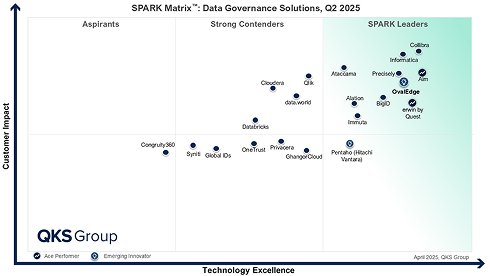
OvalEdge is a data governance platform recognized by Gartner, Forrester (337% ROI in the 2024 Total Economic Impact study), and KuppingerCole. The platform brings the data catalog, the dictionary, and the business glossary into a single workspace, with active metadata crawlers across more than 100 connectors.
What that looks like in practice:
-
The catalog auto-discovers every dataset across Snowflake, Databricks, Oracle, S3, Salesforce, and the rest of the stack, then surfaces ownership and lineage without manual entry.
-
The dictionary is populated automatically from schema metadata and dbt models, with PII, GDPR, and HIPAA classifications applied via OvalEdge's Sensitive Data Discovery agent.
-
The business glossary is editable by business stewards, linked to the physical columns in the dictionary, and propagated to BI tools so a metric named "MRR" in Tableau resolves to the same definition in Power BI.
The result is that a regulatory analyst, a data engineer, and a CFO each see the same data described in their own language, from the same source of truth.
See the OvalEdge data catalog in action →
Conclusion
Most enterprise data teams do not need to choose between a catalog and a dictionary. They need both, sitting inside the same governance platform, kept current automatically.
The teams that get this right see the difference in three places. New engineers ship pipelines in days instead of weeks. Compliance audits take hours instead of weeks. AI agents and analytics queries return answers that the business actually trusts, because the context is one click away.
The teams that get it wrong either bolt three tools together and watch each one drift, or skip the dictionary entirely and rebuild it inside every dashboard. Neither path scales past the first re-org.
If you are early in the journey, start with the catalog and let it ingest the dictionaries you already have. If you are deep in a governance program, audit which dictionary is actually trusted by the business. That one is the real source of truth, and the catalog should surface it everywhere.
Want to see a data catalog, dictionary, and business glossary working together in one platform, with active metadata crawlers, automated PII classification, and lineage to every BI dashboard? Book a 30-minute OvalEdge demo.
FAQs
1. What is the main difference between a data catalog and a data dictionary?
A data dictionary documents the structure of a single database. It records tables, columns, data types, keys, and constraints. A data catalog is an enterprise-wide inventory that includes dictionaries from every source, plus lineage, ownership, quality scores, and business context. In modern platforms, the dictionary is a component of the catalog.
2. Can a data catalog work without a data dictionary?
Technically, yes, but it loses most of its value. A catalog without dictionary detail is a search index over dataset names. The dictionary is what tells a user whether a specific column is reliable, when it was last updated, and whether it contains PII.
3. Who uses a data dictionary vs a data catalog?
Data dictionaries are read most often by engineers, DBAs, data modelers, and analysts writing SQL. Data catalogs are used by everyone who works with data, including non-technical business users searching for trusted datasets, compliance teams running audits, and AI teams gathering context for models.
4. How do data catalogs support data governance?
Catalogs centralize metadata, track lineage from source to dashboard, certify trusted datasets, enforce access policies, and surface sensitive data classifications (PII, PHI, GDPR, HIPAA). Together, these capabilities give governance teams the evidence they need for regulator audits and internal controls.
5. Why is a data dictionary important for data quality?
A dictionary defines what "valid" looks like at the field level: allowed values, formats, nullability, and referential constraints. When these rules are enforced at write time, bad data is caught before it reaches a dashboard. Without a dictionary, data quality becomes a downstream firefighting exercise.
6. Should organizations use both a data catalog and a data dictionary?
Yes, and they should sit on the same platform. Separate tools drift apart. A modern data catalog (OvalEdge, Alation, Collibra, Informatica) ingests dictionary metadata automatically, so the two stay in sync.
.png?width=1081&height=173&name=Forrester%201%20(1).png)
.png?width=1081&height=241&name=KC%20-%20Logo%201%20(1).png)