-Jan-20-2026-05-04-25-3686-AM.png)
Building a comprehensive data dictionary is essential for any data-driven organization, but getting it right is often a struggle. Teams frequently face challenges like not knowing where to begin, struggling to document data consistently, or lacking a clear format that works across the organization.
In fact, poor data quality costs organizations at least $12.9 million a year on average, according to Gartner research from 2020.
Without a structured data dictionary, organizations risk slowing down decision-making processes and creating confusion across departments.
The problem doesn’t stop there. As data grows in volume and complexity, the need for a solid, scalable documentation system becomes even more pressing. A well-maintained data dictionary ensures that data is understood, accessible, and trustworthy. Ultimately, this supports better decision-making.
In this blog, we’ll provide practical, real-world examples of data dictionaries, offer reusable templates, and share best practices from teams who’ve mastered the art of documenting data. Whether you're just starting out or looking to improve your current data dictionary, you’ll walk away with actionable insights that fit your team’s needs.
What is a data dictionary and what it includes
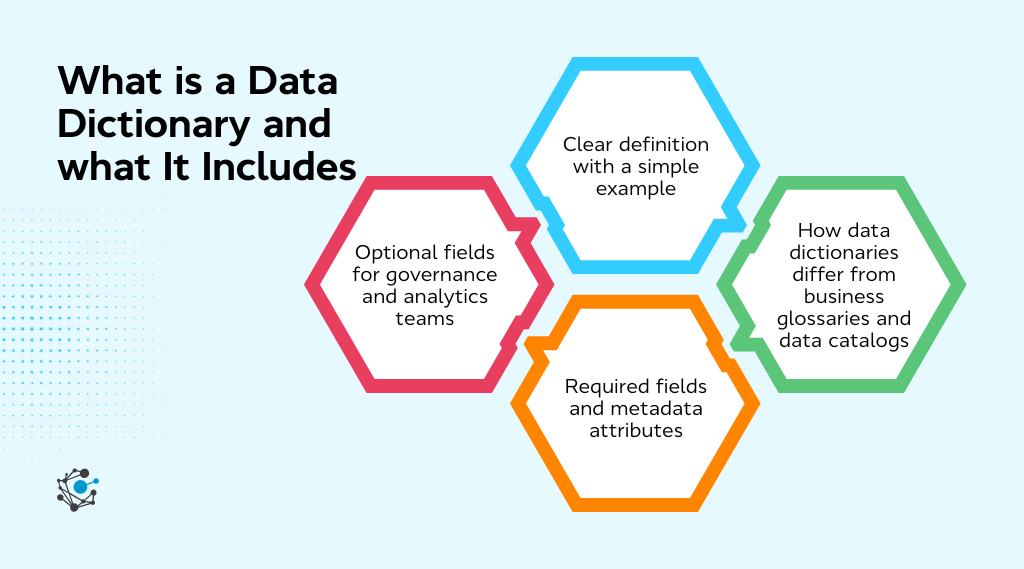
A data dictionary is a centralized repository that documents the structure, meaning, and usage of data in your systems. It serves as a guide for understanding the various datasets, tables, fields, and relationships within your database or analytics infrastructure.
By providing detailed descriptions, data types, and the purpose of each element, a data dictionary ensures that everyone, whether data engineers, analysts, or business users, has a common understanding of what the data represents and how it should be used.
Clear definition with a simple example
In simple terms, a data dictionary is like a user manual for your data. It documents the details of your database schema, making it easier to navigate and understand. Here’s a basic example to illustrate how it works:
|
Table name |
Column name |
Data type |
Description |
|---|---|---|---|
|
Customers |
customer_id |
integer |
Unique ID for customer |
|
Customers |
first_name |
string |
Customer's first name |
|
Orders |
order_date |
date |
Date the order was placed |
In this example, each row represents a field within a dataset or table, along with its name, type, and a brief description of its content. This structure helps teams quickly find the information they need without confusion, enhancing both productivity and data quality.
|
Also read: What is a Data Dictionary? Key Components, Benefits, & Creation Guide |
How data dictionaries differ from business glossaries and data catalogs
While a data dictionary is essential for documenting technical details, it's often confused with other data documentation tools like business glossaries and data catalogs. Understanding their differences can help clarify their roles in a modern data environment.
-
Data dictionary: Focuses on technical metadata, including details like table names, column names, data types, and constraints. It is used primarily by data professionals such as engineers and analysts.
-
Business glossary: This is more business-focused, defining terms, metrics, and business concepts that are used across the organization. For example, it might define what "customer lifetime value" means, but won’t explain how it’s stored in a database.
-
Data catalog: A data catalog goes beyond the dictionary to provide search and discovery features, metadata lineage, and context on how data is used. It might include data dictionaries, but adds layers like data lineage, usage patterns, and relationships between data sets.
Required fields and metadata attributes
To create a well-organized data dictionary, certain fields are essential for documentation. These mandatory fields ensure that the data is not only structured correctly but also useful for team members who need to interact with it. Here are the core components:
-
Dataset or Table name: The name of the dataset or table being described.
-
Column or Field name: The name of the specific column or field within the dataset.
-
Data type: The type of data the column contains, such as integer, string, or date.
-
Description: A brief explanation of what the column represents or how it should be used.
-
Source system: The system from which the data originates (e.g., CRM, ERP system).
These fields are essential for building a shared understanding of data and maintaining consistency across teams. By documenting these core elements, you help prevent misunderstandings and ensure trust in the data being used.
Optional fields for governance and analytics teams
While the mandatory fields are necessary for basic documentation, certain optional fields provide added value, especially for teams focused on governance, compliance, and advanced analytics. These fields are not always required but can significantly enhance the usefulness of your data dictionary as your organization scales. Here are some important optional fields:
-
Data owner: Specifies who is responsible for the data. This helps ensure accountability and data stewardship.
-
Sensitivity or classification: Indicates the level of sensitivity (e.g., public, confidential, PII) to ensure proper handling and compliance with regulations.
-
Refresh frequency: Describes how often the data is updated or refreshed. This is particularly useful for dynamic data that changes frequently.
-
Allowed values or reference data: Lists any predefined values that a column can take (e.g., a status column with values like "Active" or "Inactive").
-
Usage notes: Provides additional context about how the data is typically used, any limitations, or assumptions made during its creation.
1. Simple spreadsheet-based data dictionary example
When you’re just starting out with data documentation or working with a small team, a spreadsheet-based data dictionary is often the easiest and most cost-effective solution. This format allows teams to quickly get up and running without the need for complex software or extensive setup.
When this example works best
A spreadsheet data dictionary is especially useful in the following scenarios:
-
Small teams: When only a few people are involved in data management, a simple spreadsheet can suffice to document essential metadata without the need for specialized tools.
-
Early analytics initiatives: For teams just beginning their analytics journey, a spreadsheet offers a quick, low-cost solution to start documenting key data elements.
-
Limited number of datasets: When the dataset is small and manageable, keeping documentation in a spreadsheet is simple and effective.
Despite its simplicity, spreadsheet-based dictionaries remain a popular choice due to their accessibility and familiarity. However, as the complexity of your data grows, or as more teams need access, the limitations of this format become evident.
Sample structure and fields
A basic spreadsheet-based data dictionary might include the following structure:
|
Table Name |
Column Name |
Data Type |
Description |
Source System |
Data Owner |
|
Customers |
customer_id |
integer |
Unique customer ID |
CRM System |
John Smith |
|
Customers |
first_name |
string |
First name of the user |
CRM System |
John Smith |
|
Orders |
order_date |
date |
Date of order |
Sales System |
Mary Jones |
Each row represents a field within a table, with standardized column headers for clarity.
2. Relational database data dictionary example
A relational database is structured with tables that contain rows and columns, where each table holds related data. A data dictionary for a relational database serves as a map, detailing the schema, tables, columns, data types, and relationships between them. It is essential for database administrators (DBAs) and developers to manage, enforce data integrity, and understand the database structure.
Tables, columns, data types, and constraints
In relational databases, a data dictionary is focused on the following key elements:
-
Tables: Represent a collection of related data, such as Customers, Orders, or Products. Each table is dedicated to a specific type of information.
-
Columns: Each table contains columns that store data attributes. For example, the Customers table may have columns such as customer_id, first_name, and email.
-
Data types: Each column has a specific data type that defines the kind of data it will store. Common data types include:
-
INTEGER for whole numbers.
-
VARCHAR for variable-length text.
-
DATE for dates.
-
-
Constraints: Constraints are rules that help maintain data integrity and consistency. Some common constraints include:
-
Primary key: Uniquely identifies each record in a table (e.g., customer_id).
-
Foreign key: Creates a relationship between two tables by linking a column in one table to the primary key of another table.
-
Not null: Ensures that a column cannot have a null value.
-
Unique: Ensures all values in a column are distinct.
-
These elements form the foundation of relational database design. The data dictionary documents these components, making it easier for teams to understand how the data is structured and how it can be accessed or manipulated.
How teams use this for database documentation
Database engineers, DBAs, and even data analysts rely on the relational database data dictionary to perform a variety of essential tasks:
-
Schema reviews: During the development and maintenance of databases, teams regularly review the schema. The data dictionary makes this process easier by providing an up-to-date reference for tables, columns, and their relationships.
-
Impact analysis: If a change is made to one table, such as adding a new column or modifying a data type, the data dictionary helps teams quickly identify how this will impact other tables or applications relying on the same data.
-
Onboarding new team members: For new engineers or analysts, the data dictionary is an invaluable resource. It helps them understand the structure of the database and the purpose of each table and column, speeding up their onboarding and reducing the need for constant clarifications.
-
Preventing data integrity issues: A well-maintained data dictionary ensures that constraints like primary keys, foreign keys, and data types are followed, preventing common database issues such as duplicates or invalid data entries.
In essence, the relational database data dictionary ensures that teams have a clear, consistent, and easily accessible reference for the database schema, ultimately reducing errors and enhancing collaboration across technical teams.
3. Analytics and BI data dictionary example
Analytics and Business Intelligence (BI) teams have unique data documentation needs. A data dictionary for analytics and BI is more focused on business-facing elements like metrics, dimensions, and the logic behind data calculations. This ensures that all stakeholders have a common understanding of how key business metrics are defined, calculated, and interpreted.
Metrics, dimensions, and calculation logic
In the context of analytics, a data dictionary documents the metrics (quantitative data points) and dimensions (categorical attributes) used in reports, dashboards, and visualizations. Here’s how they are defined:
-
Metrics: These are quantitative measurements used for analysis, such as "total revenue," "number of customers," or "website traffic."
-
Dimensions: These are categories by which metrics are segmented, such as "region," "product category," or "customer type."
-
Calculation Logic: This defines how metrics are calculated. For example, "Average Order Value" might be calculated as Total Revenue / Number of Orders.
The data dictionary ensures that all teams use the same definitions and formulas, eliminating confusion or inconsistency in reporting.
Supporting analysts and business users
The primary goal of an analytics and BI data dictionary is to support both data analysts and business users by making data easier to understand and use. It provides the following benefits:
-
Consistency in reporting: Ensures that metrics and dimensions are defined consistently across reports and dashboards, which is essential for reliable decision-making.
-
Self-service analytics: With clear definitions and explanations of metrics and calculation logic, business users can independently interpret reports and perform analyses without constantly relying on data teams.
-
Trust in data: When business stakeholders understand how metrics are defined and calculated, they are more likely to trust the data and use it to make informed decisions.
4. Enterprise data dictionary example
For large organizations, managing data documentation across multiple teams, departments, and systems can become complex. An enterprise data dictionary addresses this challenge by creating a unified, standardized framework for documenting data across the entire organization.
Standardized definitions across domains
An enterprise data dictionary ensures that there is standardization in definitions across various business domains, such as marketing, finance, and operations. Without this standardization, different teams might define the same terms in different ways, leading to miscommunication and incorrect analyses.
The enterprise data dictionary provides clear, consistent definitions to ensure that everyone across the organization is on the same page when using and interpreting data.
Aligning with an enterprise data model
An enterprise data model (EDM) represents a high-level framework for how data is structured and integrated across the organization. The enterprise data dictionary aligns with the EDM by documenting the data’s relationships, naming conventions, and governance standards.
The data model defines the relationships between different data entities, like customers, orders, and products. The data dictionary provides the detailed definitions for each data element, making it easier to implement the data model consistently across all systems.
Aligning with the EDM helps ensure that data is accessible, consistent, and can be integrated across departments for comprehensive analytics and reporting.
5. Metadata repository-style data dictionary example
Metadata repositories extend the traditional data dictionary by incorporating metadata management tools that track the full lifecycle of data. These repositories include not only data definitions but also lineage, ownership, and usage context. This type of data dictionary is particularly useful for data governance and ensuring compliance at scale, especially in large or complex organizations.
Integrating lineage, ownership, and usage context
A metadata repository-style data dictionary captures the full context of data, including:
-
Data lineage: Tracks the journey of data from its source to its final destination. For example, if a piece of data moves from a CRM system to a data warehouse and then to a reporting tool, the data lineage would describe this process, helping teams understand how the data has been transformed and where it has been used.
-
Ownership: Clearly defines who is responsible for the data, ensuring accountability and proper stewardship.
-
Usage context: Describes how the data is being used, including whether it's being analyzed, reported on, or used for decision-making.
This integration of metadata allows teams to see not only the technical specifications of data but also how it fits into the broader context of the organization’s data ecosystem.
How this supports governance at scale
A metadata repository-style data dictionary is key to supporting data governance at scale, particularly in large organizations with complex data environments. Here’s how it helps:
-
Audits and compliance: By documenting data lineage, ownership, and usage, it becomes easier to track data usage for regulatory compliance and auditing purposes.
-
Change management: If there are any changes to a dataset, the metadata repository allows teams to quickly assess the impact of those changes, helping prevent issues in downstream systems.
-
Data quality and governance: Having a clear record of where data comes from, who owns it, and how it’s used is crucial for maintaining high data quality and ensuring governance policies are followed.
A metadata repository-style data dictionary offers a comprehensive solution for managing data governance in a modern, data-driven organization.
Best practices learned from real data dictionary examples
Building a data dictionary is an ongoing process, and following best practices can help ensure its effectiveness. Here are some key practices that organizations have learned through experience.
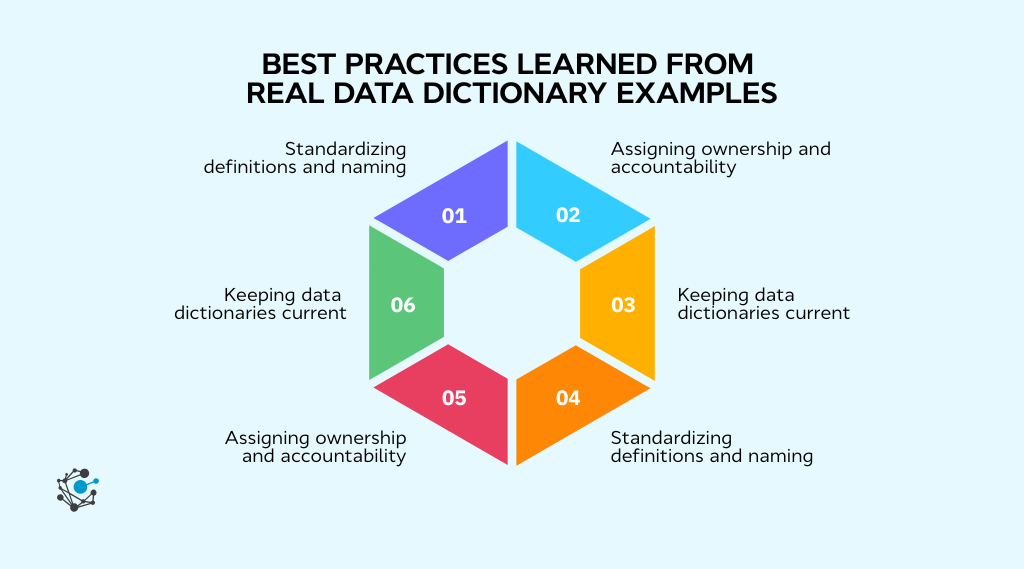
Standardizing definitions and naming
Consistency is key when it comes to data documentation. Establishing standardized naming conventions and definitions ensures that everyone within the organization understands the data in the same way. This practice minimizes ambiguity and streamlines communication, making it easier for teams to collaborate on data-related tasks.
Assigning ownership and accountability
Each dataset should have a clearly defined owner or steward. The data owner is responsible for maintaining the integrity of the data and ensuring that it’s used appropriately. Clear ownership helps teams trust the data, facilitates data quality management, and holds individuals accountable for maintaining the data dictionary.
Keeping data dictionaries current
Data evolves over time, and so should your data dictionary. Regularly update your dictionary to reflect any changes in the database schema, business definitions, or data usage. This ensures that the dictionary remains a valuable resource and continues to support accurate, up-to-date analysis.
How OvalEdge helps teams operationalize data dictionaries
OvalEdge is a comprehensive platform that simplifies the creation, management, and governance of data dictionaries. It ensures that data documentation is always accurate, consistent, and aligned with governance workflows, making it easier for teams to manage their data assets.
|
Looking for the right tools to manage your data dictionary effectively? Learn more in our Data Dictionary Tools blog. |
Step 1: Centralized metadata and schema documentation
OvalEdge consolidates metadata from multiple data sources into a single, centralized repository. This reduces the risk of duplication and ensures that your data documentation is consistently organized, providing teams with quick and easy access to up-to-date information.
By maintaining a centralized location for schema documentation, OvalEdge enhances collaboration across teams, allowing engineers, analysts, and data stewards to work from the same source of truth.
|
Case Study: For instance, Bedrock, a real estate company, used OvalEdge to standardize data definitions and improve accuracy across their data management systems, even with a lean team. By leveraging OvalEdge’s integrated governance tools, such as the business glossary, data catalog, and lineage tracking, Bedrock streamlined reporting and enhanced data consistency across the organization. |
This real-world example highlights how data dictionary management can be integrated seamlessly into business processes.
Step 2: Seamless integration with governance workflows
OvalEdge connects data dictionaries directly with governance workflows, ensuring that compliance and data quality are maintained at all times. By integrating the dictionary with tools like data lineage tracking and access control, OvalEdge embeds governance practices into the data management process.
For organizations looking to strengthen their data governance practices, it’s essential to understand the key best practices that drive effective implementation.
To help guide you through this process, we’ve created a comprehensive White Paper on Data Governance. This resource offers in-depth insights into optimizing governance workflows, ensuring data compliance, and overcoming common challenges.
Step 3: AI-driven curation with human oversight
OvalEdge uses AI-powered automation to curate and update the data dictionary. This technology automatically captures metadata, detects changes, and organizes new entries, reducing the time and effort required to maintain the dictionary manually.
However, the platform also provides a collaborative space for human input. This ensures that the dictionary remains accurate and contextually relevant. Teams can validate entries, add deeper insights, and make necessary adjustments, ensuring the data dictionary remains both comprehensive and aligned with evolving business needs.
Conclusion
Effective data management and governance are crucial for ensuring that organizations can make data-driven decisions with confidence. A well-maintained data dictionary plays a central role in this, enabling teams to understand, trust, and use their data efficiently.
By consolidating metadata, ensuring consistency across departments, and embedding governance practices, organizations can overcome common data challenges such as siloed information, compliance risks, and misinterpretation of data.
With the right tools, like those offered by OvalEdge, teams can streamline their data documentation processes, ensuring that data remains accurate, accessible, and aligned with business needs. This not only improves collaboration but also boosts data quality and regulatory compliance.
Don’t let fragmented data or outdated documentation slow down your team’s progress.

Book a demo with OvalEdge today to see how easy it is to operationalize your data dictionary and enhance your data governance practices.
FAQs
1. What is the difference between a data dictionary and schema documentation?
Schema documentation explains database structure, while a data dictionary adds business context, field definitions, and usage guidance. Teams rely on data dictionaries to make schemas understandable for analytics and business users.
2. Can a data dictionary be automated?
Yes. Modern data platforms automatically capture metadata from databases and pipelines. Automation reduces manual maintenance, improves accuracy, and keeps documentation aligned with ongoing schema changes.
3. Who should own and maintain a data dictionary?
Data owners or stewards should maintain the data dictionary with support from engineering and analytics teams. Clear ownership ensures definitions remain accurate and aligned with real-world data usage.
4. How detailed should a data dictionary be for analytics teams?
Analytics-focused data dictionaries should explain metric logic, filters, and assumptions. Excess technical detail can reduce usability, so documentation should prioritize interpretation and correct usage.
5. Are data dictionaries required for data governance programs?
Data dictionaries are not mandatory, but they strongly support governance by standardizing definitions, clarifying ownership, and improving audit readiness. Many governance initiatives treat them as foundational documentation.
6. When should teams move from spreadsheets to data dictionary tools?
Teams should adopt tools when data volume grows, updates become frequent, or multiple teams depend on shared definitions. Tool-based dictionaries prevent version conflicts and improve collaboration at scale.
.png?width=1081&height=173&name=Forrester%201%20(1).png)
.png?width=1081&height=241&name=KC%20-%20Logo%201%20(1).png)