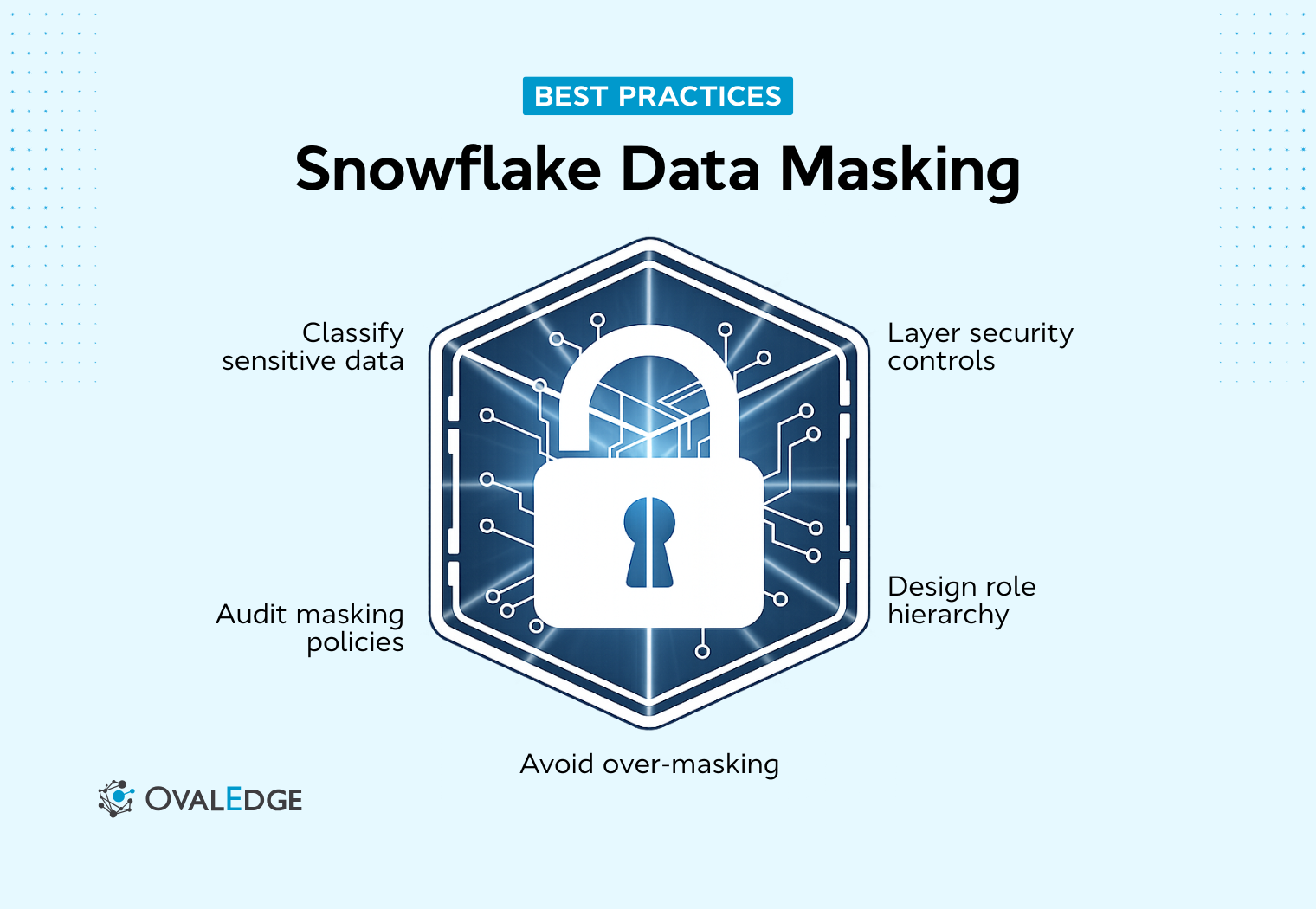
Control is the first thing we lose when access scales faster than governance. One day, only a small data team can query customer records. A few months later, analysts, product managers, finance teams, and external partners all have some level of visibility into the same Snowflake environment.
We built this openness to move faster, but without deliberate safeguards, sensitive columns quietly become overexposed.
The risk is not abstract.
According to the 2024 Verizon Data Breach Investigations Report, 68% of breaches involved the human element, including errors and misuse of access privileges.
This is where Snowflake data masking becomes critical. Snowflake data masking allows us to dynamically protect sensitive fields at query time, aligning visibility with role-based access while keeping analytics intact.
We cannot slow innovation to reduce risk. Instead, we need smarter controls that adapt to roles, not just permissions. In this guide, we will break down how to implement it correctly and scale it with confidence.
What is Snowflake data masking?
Snowflake data masking is a policy-driven control that dynamically hides sensitive data at query time based on role-based access. Instead of restricting entire tables, it protects specific columns while keeping datasets usable for analytics.
The data remains unchanged in storage, but what users see depends on their active role, enabling controlled exposure without disrupting reporting workflows.
How Snowflake masking policy works
Snowflake uses masking policies that are attached directly to columns. When a query references a masked column, the policy is evaluated during execution. The logic checks the active role and conditionally returns either the original value or a masked substitute.
Masking logic typically includes:
-
Role-based conditional logic
-
Partial masking, such as hiding specific digits
-
Full redaction, such as returning NULL
Because masking happens at query time, the stored data is never altered. Protection applies at the presentation layer only.
At this stage, governance becomes just as important as technical configuration. Snowflake executes the masking logic, but identifying which columns require protection and ensuring policies remain consistent across environments can become complex. This is where OvalEdge adds value.
|
Do you know?
By supporting sensitive data discovery, classification alignment, and centralized policy visibility, OvalEdge strengthens the overall masking framework. It ensures that masking policies are not only created correctly but also mapped to business definitions, tracked over time, and aligned with enterprise governance standards. |
Static vs dynamic data masking in Snowflake
Dynamic masking applies at query time. It preserves original data in storage and evaluates role logic during execution. This approach is ideal for production analytics because it protects output without duplicating datasets.
Static masking permanently alters data, often by transforming or replacing sensitive values. It is commonly used in development or testing environments where a realistic structure is needed, but raw data should not exist.
In practice:
-
Production analytics typically rely on dynamic masking
-
Development and testing environments often use static masking
Choosing the right approach depends on how the data is used and the level of exposure risk.
When to use column-level masking
Column-level masking is the primary Snowflake masking mechanism. It should be used when specific columns contain PII, such as emails, financial identifiers, or national IDs, and when different roles require different levels of visibility.
It is especially useful when:
-
Analysts need partial access without full exposure
-
Compliance mandates differentiated access controls
-
Multiple business teams share the same datasets
However, balance matters. Over-masking can reduce analytical usability, while under-masking increases exposure risk. The goal is to protect sensitive columns while preserving data utility for legitimate business needs.
Masking Policies vs Row Access Policies in Snowflake
Both controls strengthen security, but they solve different problems.
Masking Policies
Masking policies control column visibility. They hide or transform sensitive values within a column based on role or other conditions.
Example: A masking policy is applied to an email column.
-
Marketing role sees full email addresses
-
Support role sees partially masked emails
-
General users see NULL
The row still exists. Only the column value changes based on access rights.
Row Access Policies
Row access policies control row visibility. They restrict which records a user can see based on defined conditions.
Example: A regional manager queries a sales table.
-
They see only records for their assigned region
-
Other regional data is filtered out automatically
In this case, entire rows are hidden rather than column values being altered.
Masking controls what users see within a column. Row access policies control which rows users can access. Most enterprise Snowflake environments use both together.
Why Snowflake data masking is critical for data security
Snowflake environments rarely serve a single team. Finance, marketing, product, operations, and compliance often operate within the same shared warehouse. That efficiency accelerates decision-making, but it also expands exposure. The challenge is no longer just access to tables. It is visibility into sensitive columns across roles.
Snowflake data masking helps control that visibility at query time. But its effectiveness depends on how well we design roles, classify data, and manage governance over time.
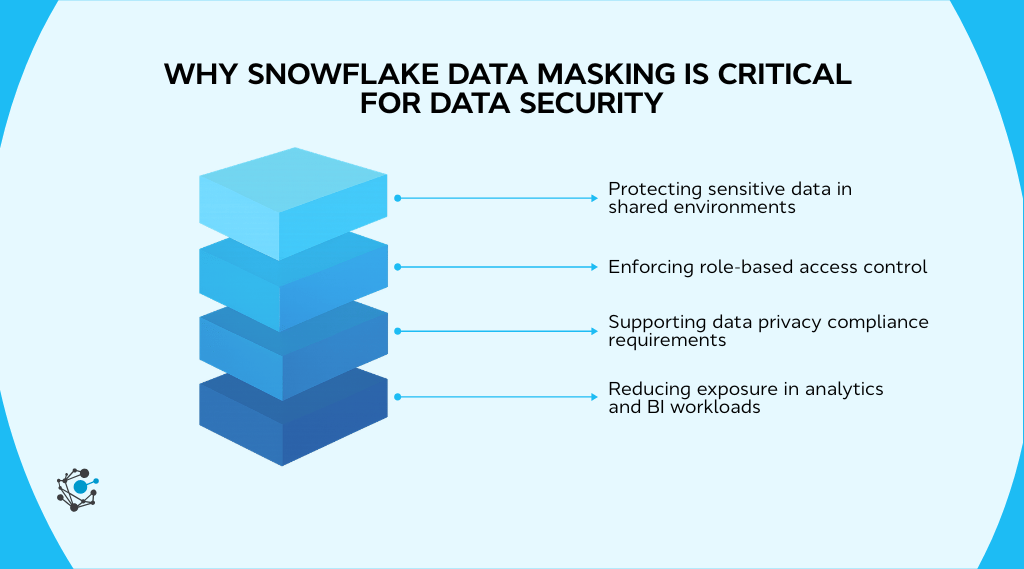
Protecting sensitive data in shared environments
Shared warehouses and cross-functional analytics are common in Snowflake deployments. A single customer dataset might support revenue reporting, churn analysis, product optimization, and executive dashboards. That centralization is powerful, but it increases exposure risk if sensitive columns remain broadly visible.
High-risk data types typically include:
-
Personal identifiers
-
Financial records
-
Health-related attributes
These fields appear across domains, which means a single misconfiguration can impact multiple teams. Snowflake dynamic data masking reduces risk by conditionally hiding sensitive columns at query time. Analysts can still aggregate and analyze data, but sensitive identifiers are not automatically visible.
Masking ensures visibility aligns with business needs, not just table-level access.
Enforcing role-based access control
Masking strengthens RBAC by moving enforcement to the column output layer. Snowflake supports role-aware logic inside masking policies, allowing visibility decisions based on active role context.
In structured access models, we usually see:
-
Full visibility roles, such as payroll or compliance administrators
-
Partial visibility roles, such as analysts requiring limited identifiers
-
Fully masked roles, such as broad read-only consumers
However, as organizations grow, role hierarchies expand and overlap. Role sprawl can introduce inconsistent masking behavior if not actively governed. This is where OvalEdge strengthens the model.
|
Do you know: By synchronizing Snowflake users, roles, and permissions into a centralized governance framework, OvalEdge provides visibility into role design and masking alignment It helps identify inconsistencies, overlapping privileges, and potential drift before exposure occurs. |
If our role structure has evolved organically over time, it is worth reviewing it now. Masking logic is only as strong as the RBAC foundation beneath it.
Supporting data privacy compliance requirements
Masking directly supports privacy principles such as data minimization. By limiting unnecessary exposure of sensitive columns in analytics workflows, we reduce the overall data exposure surface.
The compliance value becomes clear in three areas:
-
Reduced risk of internal overexposure
-
Stronger audit defensibility through consistent enforcement
-
Alignment with least-privilege access models
Masking alone does not guarantee compliance, but it plays a foundational role when paired with structured governance, auditing, and documentation.
Reducing exposure in analytics and BI workloads
BI tools multiply access. A single Snowflake dataset can power dashboards, semantic layers, extracts, and shared reports. Without masking, those outputs may expose more than intended.
Common exposure channels include:
-
Dashboards shared across departments
-
Shared analytical datasets
-
CSV exports for offline analysis
Dynamic data masking protects query output based on role context. Sensitive columns are evaluated at runtime so users only see what their role permits.
However, runtime masking does not eliminate exposure risk. Users with elevated privileges may export unmasked results, and derived datasets can propagate sensitive fields beyond their original context.
Reducing exposure therefore requires layered controls:
-
Least-privilege role design
-
Monitoring of query and export activity
-
Governance oversight across environments
As masked columns flow into views, transformations, and reporting assets, visibility becomes critical. Without lineage and impact analysis, sensitive data can resurface in downstream assets outside the original masking boundary.
|
Here’s something most teams overlook: OvalEdge strengthens this layer through lineage intelligence and centralized documentation By tracing masked columns across views, transformations, and reporting assets, teams can assess downstream exposure risk and maintain consistent governance across environments. |
For masking to remain effective as analytics expands, runtime enforcement must be paired with continuous oversight. That combination keeps protection intact as data moves across the enterprise.
How to implement Snowflake data masking step by step
Implementing Snowflake data masking works best when you treat it like a security design exercise, not a quick SQL task.
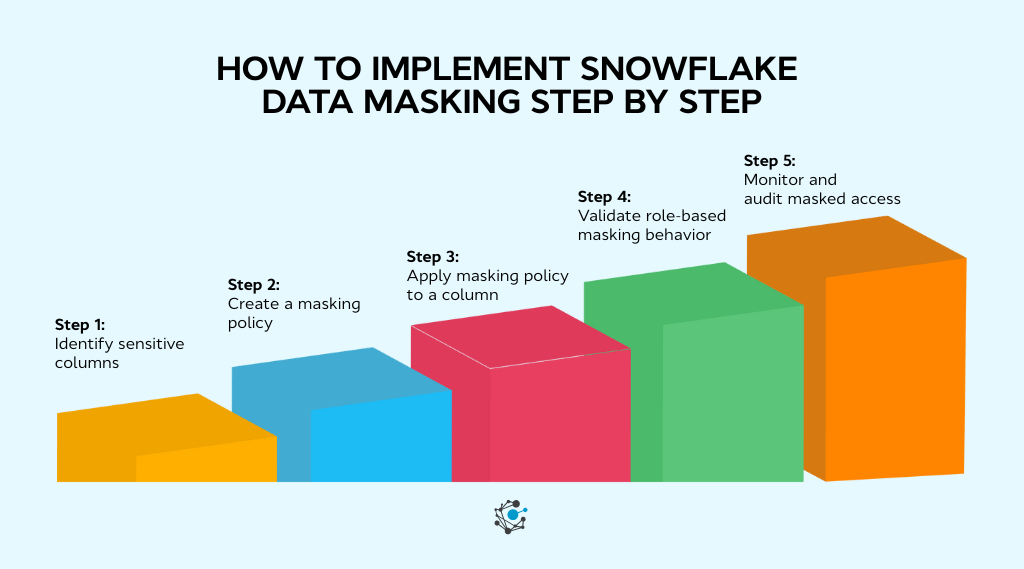
Step 1: Identify sensitive columns
Start with classification. You need a reliable inventory of sensitive fields across tables, views, and semi-structured columns.
Common sensitive fields include:
-
Email
-
Phone
-
Financial numbers
-
National identifiers
Snowflake’s governance guidance also points toward sensitive data classification and auditing capabilities as part of a broader governance posture.
Step 2: Create a masking policy
Snowflake provides CREATE MASKING POLICY for defining policy logic, typically through CASE expressions that return either the raw value or a masked substitute.
Your logic generally falls into:
-
Full redaction, returning NULL or a constant
-
Partial obfuscation, masking sections while retaining patterns
-
Role-dependent reveal, where specific roles see full values
Snowflake’s examples for column-level security show role checks embedded inside the policy, which is the pattern you will reuse across many columns.
Step 3: Apply masking policy to a column
After creation, you attach the policy to a column using ALTER TABLE or apply it to a view using ALTER VIEW.
The operational value here is simple. No duplication occurs, and stored data stays intact. Output changes at runtime.
Step 4: Validate role-based masking behavior
Validation is where most teams either build trust or create future incidents.
Use multiple roles and compare outputs:
-
Confirm privileged roles, see unmasked data
-
Confirm analyst roles see partial or obfuscated data
-
Confirm general roles, see fully masked output
If your masking logic depends on role hierarchy, use Snowflake’s recommended approach around IS_ROLE_IN_SESSION() so inherited roles do not behave unexpectedly.
Step 5: Monitor and audit masked access
Masking at scale needs governance. Snowflake points to access history and policy discovery views as building blocks for auditing access and policy attachment.
Strong monitoring typically includes:
-
Role audits for least privilege drift
-
Policy change logs and review workflows
-
Access pattern reviews through query and access history
Continuous oversight prevents masking drift and strengthens audit defensibility.
However, sustaining Snowflake data masking across evolving schemas, expanding role hierarchies, and multiple environments requires more than manual tracking. As data footprints grow, teams need centralized visibility into classified columns, masking coverage, role alignment, and audit history.
| OvalEdge’s Data Governance solution supports this by unifying sensitive data discovery, policy oversight, lineage visibility, and documentation, helping organizations keep Snowflake masking consistent and audit-ready at scale. |
Snowflake dynamic data masking explained
Dynamic data masking in Snowflake evaluates access at query time and conditionally masks sensitive values based on role logic without altering stored data. It allows us to centralize raw data while controlling what different users actually see. The stored value remains intact, but the returned value adapts to the active role context.
This makes dynamic masking especially valuable in shared analytics environments where restricting entire tables would disrupt reporting and operational workflows.
How query-time masking works
Dynamic masking follows a predictable runtime flow.
Execution sequence
-
A user runs a SELECT query.
-
Snowflake checks for masking policies on referenced columns.
-
The policy executes during query processing.
-
Role context is evaluated.
-
A masked or unmasked value is returned.
-
Stored data remains unchanged.
Key implications
-
No dataset duplication is required.
-
Controls apply consistently across tables and supported views.
-
Masking operates at the presentation layer only.
Important boundary: Masking is not encryption. It does not modify stored data, and authorized roles may still see unmasked values.
Using role-based masking logic
Dynamic masking depends on Snowflake’s role context.
Common policy patterns
-
Full reveal for privileged roles
-
Partial masking for analysts
-
Full redaction for general users
As role hierarchies evolve, masking logic can weaken if not reviewed. Hard-coded role names may not reflect inheritance changes, and overlapping roles can produce unintended visibility.
Best practices
-
Review masking policies when roles change
-
Test across real session role combinations
-
Avoid overly rigid role conditions
Masking semi-structured data
Snowflake supports masking policies as part of column-level security, and similar principles apply once semi-structured attributes are extracted into columns.
Operational challenges
-
Sensitive attributes embedded in nested JSON
-
Varying extraction logic across pipelines
-
Inconsistent transformations weaken policy alignment
Extraction standards and masking standards must stay aligned to prevent re-exposure in derived tables.
Limitations of dynamic data masking
Dynamic masking is powerful but not complete protection.
What it does not do
-
It does not remove sensitive data from storage.
-
It does not prevent authorized exports.
-
It does not replace disciplined RBAC design.
Masking protects output, not existence. Long-term effectiveness depends on role governance, auditing, and structured oversight.
What breaks Snowflake data masking at scale
Masking that works in a small environment can get fragile in an enterprise Snowflake footprint. Growth in users, roles, schemas, and regulatory expectations multiplies complexity.
Over-masking analytics
Excessive masking reduces usability. When analysts cannot validate joins, deduplicate records, or reconcile anomalies, reporting accuracy suffers. Performance issues can show up too when masking logic is applied broadly across large analytical datasets, especially if conditions are complex and used in high-concurrency BI workloads.
The worst outcome is cultural. Teams start creating shadow datasets and “clean copies” to get work done, which expands exposure risk rather than reducing it.
Role sprawl
As organizations grow, role hierarchies become layered and inconsistent. Snowflake’s own guidance on role context functions is a reminder that role activation and hierarchy influence masking outcomes, which becomes harder to reason about when roles overlap.
Role sprawl creates:
-
Confusing visibility differences between similar job functions
-
Increased chance of unintended inheritance
-
Higher administrative burden to keep the least privilege intact
Policy drift
Schemas evolve. Business processes change. New datasets are onboarded, and old ones are deprecated. If masking policies do not evolve with these changes, drift appears. Columns may remain unprotected because they were never updated; policies may be inconsistent across development, staging, and production; and manual policy changes can go untracked.
This is a governance problem as much as a technical one. At scale, teams need a centralized view of:
-
Which columns are sensitive
-
Where masking policies are applied
-
How policies differ across environments
-
When policies were modified
Without a structured governance approach, policies diverge from their original intent, and enforcement weakens over time.
Missing classification
Masking only protects what has been identified as sensitive. If new tables or extracted attributes are not classified, they remain exposed.
Automated classification strengthens masking by continuously detecting sensitive fields and aligning them with protection policies.
Tools like OvalEdge support structured data classification to reduce gaps in masking coverage. Effective masking always begins with accurate classification.
Poor documentation
When policy ownership, rationale, and coverage are not centralized, governance maturity stalls.
During audits, we need defensible records of what is masked, why it is masked, and how changes are controlled. Without that, institutional knowledge becomes a single point of failure.
How OvalEdge strengthens Snowflake data masking governance
Snowflake enforces masking policies at query runtime. That runtime control is essential, but at enterprise scale, enforcement alone is not enough. As Snowflake environments expand across domains, teams need structured discovery, policy alignment, lineage visibility, and centralized lifecycle control.
OvalEdge strengthens Snowflake data masking governance by connecting classification, policy orchestration, metadata intelligence, and documentation into a unified governance framework.
Sensitive data discovery and RDAM-driven policy orchestration
Effective masking begins with accurate identification of sensitive data. If sensitive columns are not discovered, they cannot be protected.
OvalEdge supports automated scanning of Snowflake databases, schemas, tables, and columns through metadata integration. Using rule-based and pattern-based classification, it detects PII and sensitive attributes and maintains a continuously updated inventory of classified data.
Once classified, Remote Data Access Management (RDAM) capabilities help align sensitive columns with masking enforcement. Discovered attributes can be mapped to predefined masking templates, and policy recommendations can be generated based on classification tags.
Through Snowflake RDAM integration, roles, permissions, and masking alignment remain synchronized across environments.
This reduces manual schema inspection, prevents high-risk columns from remaining unmasked, and enables consistent masking rollout across large Snowflake deployments. It also strengthens audit defensibility through documented discovery evidence.
Policy visibility, lineage intelligence, and impact analysis
At scale, it is not enough to know that a column is masked. Teams must understand how that column flows across transformations, views, and downstream reporting layers.
OvalEdge integrates Snowflake metadata into its lineage framework to provide column-level traceability. Masked columns can be tracked across pipelines, helping identify where masking logic affects analytical datasets and where inconsistencies may appear.
This visibility allows organizations to detect policy drift, compare masking coverage across environments, and perform structured impact analysis before modifying policies. It ensures masking consistency across derived datasets and reduces downstream exposure risk when changes occur.
Centralized masking documentation and lifecycle management
Governance maturity requires lifecycle control. Masking policies must be documented, versioned, owned, and aligned with compliance frameworks.
OvalEdge maintains a centralized registry of masking policies, tracks ownership and approvals, logs deployment coverage, and maps masking logic to classification standards and regulatory controls.
With structured documentation and review workflows, teams can monitor schema changes that require reassessment, identify outdated or orphaned policies, and maintain audit-ready evidence logs.
Technical Execution Framework
Snowflake masking is managed in Data Access Management through Masking Policies and column-level assignments.
Within Data Access Management, a connector’s Access Management settings provide controls to manage and assign masking policies. Teams can assign Snowflake masking policies directly to specific columns, ensuring enforcement aligns with classification standards.
You can also enable policy synchronization capabilities:
-
Sync Snowflake Masking Policies to Application Policies
-
Sync Application Masking Policies to Snowflake Policies
-
Optional: Enable Tag-based Masking Policies to drive masking behavior dynamically from tags
To review applied masking configurations, connector-level tabs provide visibility:
-
Table Columns: Displays each column’s assigned Masking Policy along with associated Tag and Value
-
Masking Policies: Lists each policy’s Policy SQL, authorized roles and users, policy owner, and related metadata
|
While Snowflake enforces masking at runtime, OvalEdge ensures it is discovered, governed, traceable, and audit-ready across the enterprise. |
This governance-led approach has helped enterprise organizations strengthen control across complex Snowflake environments while maintaining analytical agility.
One such example is a global consulting firm that improved lineage visibility, standardized governance workflows, and enhanced compliance readiness using OvalEdge.
|
Case study: A global consulting firm struggled with fragmented data governance across its Snowflake environments, leading to inconsistent classification and limited visibility into sensitive data flows. The firm implemented OvalEdge to unify metadata, improve control transparency, and support compliance across distributed teams.
|
Conclusion
Snowflake data masking gives us query-time protection through role-based logic, helping balance analytics speed with controlled exposure. But dynamic masking only remains effective when we design disciplined RBAC, align policies with accurate classification, and continuously validate outcomes across real-world roles.
Masking is not a one-time setup. It must evolve with new schemas, expanding access, and changing compliance requirements. The next step is clear: identify high-risk columns, review role inheritance, test masking across environments, and document policy ownership and coverage.
Sustaining this at scale requires governance visibility. With AskEdgi, OvalEdge’s AI-powered governance assistant, teams can quickly surface sensitive data, trace lineage impact, and validate masking coverage using natural language queries. Governance intelligence becomes accessible instead of being buried in metadata.
If strengthening Snowflake governance is on your roadmap, book a demo with OvalEdge and see how enterprise-scale masking can stay consistent, traceable, and defensible.
FAQs
1. Can Snowflake data masking affect query performance?
Snowflake evaluates masking policies during query execution. In most cases, performance impact remains minimal. However, complex conditional logic, nested JSON parsing, or excessive policy layers can introduce latency in large, high-concurrency workloads.
2. Does Snowflake data masking apply to cloned or shared databases?
Masking policies persist when databases are cloned within Snowflake. For cross-account data sharing, organizations must validate that masking policies remain attached and enforced correctly in the consumer account environment.
3. Can multiple masking policies be applied to the same column in Snowflake?
Snowflake allows only one masking policy per column. To support multiple scenarios, you must design composite logic inside a single policy using conditional expressions and role-based evaluation.
4. How does Snowflake data masking interact with secure views?
Masking policies apply at the column level and remain effective when accessed through secure views. Secure views restrict data presentation but do not replace masking. Both controls should work together for layered protection.
5. Can Snowflake dynamic data masking be bypassed?
Masking depends on proper role configuration. Broad privilege grants or poorly structured role inheritance can expose unmasked data. Regular RBAC reviews and access audits reduce the risk of unintended visibility.
6. Is Snowflake data masking sufficient for full data anonymization?
No. Dynamic masking hides values at query time but retains original data in storage. Full anonymization requires irreversible transformation techniques such as tokenization or controlled data transformation processes.
.png?width=1081&height=173&name=Forrester%201%20(1).png)
.png?width=1081&height=241&name=KC%20-%20Logo%201%20(1).png)