-Dec-30-2025-08-38-06-7082-AM.png)
As data volumes surge, organizations are struggling to manage and extract meaningful insights from their growing datasets. Traditional data warehouses, once the backbone of analytics, often fall short in today’s fast-paced, AI-driven environment, resulting in data silos and decision-making delays.
In 2025, businesses need faster, real-time insights to stay agile. According to Gartner, 75% of organizations will transition to modern data architectures to meet the demand for real-time decision-making.
This is where data warehouse tools come into play, centralizing, storing, and managing vast amounts of data to enable actionable insights.
With AskEdgi, OvalEdge works as a pop-up analytics layer on top of your existing data warehouse, enabling teams to query and explore governed data instantly. By leveraging metadata, lineage, and policy context, it delivers fast, trusted insights without requiring additional data transformations or warehouse restructuring.
This blog will explore the evolution of data warehouse tools, the key features to look for, and how the right tool can solve today’s data challenges.
What are data warehouse tools?
Data warehouse tools are software platforms designed to centralize, store, and manage large volumes of data from multiple sources. These tools enable organizations to transform raw data into structured, actionable insights for analysis and decision-making. By integrating data from disparate systems, they provide a unified view of business operations.
Core functions of data warehouse tools
-
Data integration: Collecting and combining data from various sources to provide a comprehensive view.
-
Data storage: Organizing and storing large amounts of structured and unstructured data efficiently.
-
Query optimization: Enhancing the speed and accuracy of data retrieval for fast insights.
-
Data governance: Ensuring data integrity, security, and compliance with industry regulations.
-
Performance management: Optimizing processing power to handle large-scale data processing tasks and complex queries.
|
Did you know? While traditional data warehouse tools focus on centralized data storage and management, the concept of a pop-up data warehouse, as discussed in The Rise of the Pop-Up Data Warehouse whitepaper, offers a more flexible approach by centralizing only metadata and enabling temporary compute on demand. |
Top 6 data warehouse tools
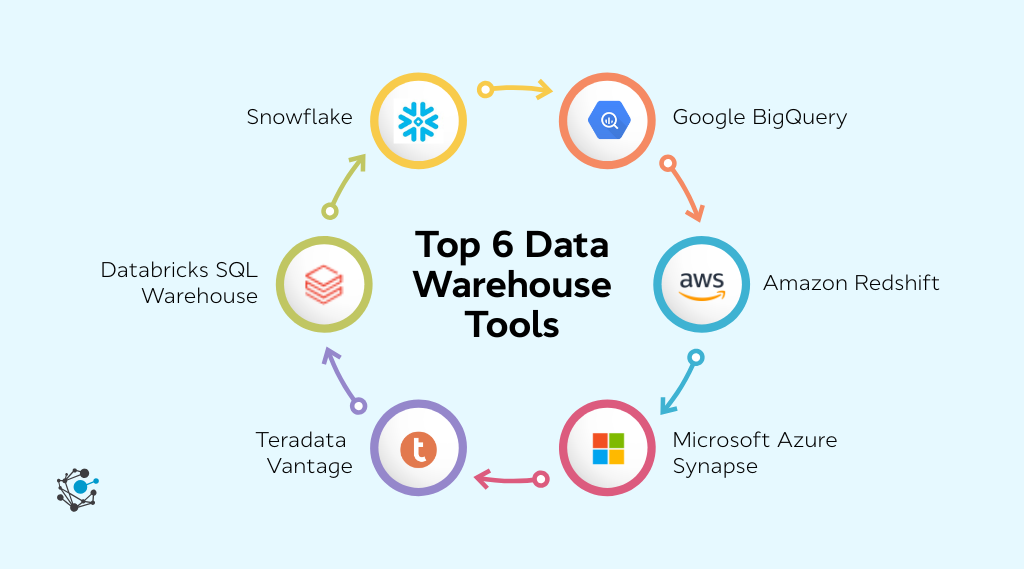
As the demand for real-time analytics and scalable data management intensifies, the landscape of data warehouse tools in 2026 is more competitive than ever. These advanced platforms are meticulously designed to meet the evolving needs of modern data architectures.
In this section, we will explore six leading data warehouse tools—each excelling in different aspects of performance, scalability, and integration.
1. Snowflake
Snowflake is a cloud-native data warehouse platform designed to handle vast amounts of data with scalability and flexibility. Unlike traditional data warehouses, Snowflake operates entirely on the cloud, enabling organizations to store, process, and analyze data without the complexity of managing hardware or infrastructure. Its unique architecture separates compute and storage, allowing for elastic scalability and optimized performance.
Core function and positioning: Snowflake centralizes data from various sources into a single, unified platform, offering seamless integration with multiple cloud services. It enables businesses to run complex queries and perform real-time analytics without compromising speed or cost.
Best features:
-
Cloud-native architecture & elastic scalability: Snowflake’s cloud-based design allows businesses to independently scale storage and compute resources, ensuring optimal performance as data grows.
-
Multi-cloud & multi-region support: Operates seamlessly across AWS, Azure, and Google Cloud, providing flexibility and avoiding vendor lock-in.
-
Secure and governed data sharing: Enables secure, live data sharing without duplication, simplifying collaboration while maintaining governance.
-
Support for structured and semi-structured data: Handles both traditional relational data and semi-structured formats like JSON and Avro, making it versatile for different data types.
-
Optimized query performance: Features like micro-partitioning and automatic query optimization ensure fast, efficient processing of large datasets.
Pros:
-
Scalability and Flexibility: Offers seamless scalability, enabling businesses to grow their data infrastructure without compromising performance.
-
Data sharing and collaboration: Simplifies secure data sharing with internal and external stakeholders, improving collaboration and data-driven decision-making.
-
Versatility for various data types: Supports a wide range of data formats, allowing businesses to work with both structured and semi-structured data without complexity.
Cons:
-
Complexity for new users: Snowflake’s advanced features and cloud architecture can be overwhelming for new users, requiring time and expertise to master.
-
Cost management: The flexible pricing model can lead to unexpected costs if resource usage is not monitored and optimized regularly.
Best fit: Snowflake is ideal for businesses seeking scalable, high-performance data warehousing solutions in a cloud-first environment, especially for those dealing with both structured and semi-structured data.
2. Google BigQuery
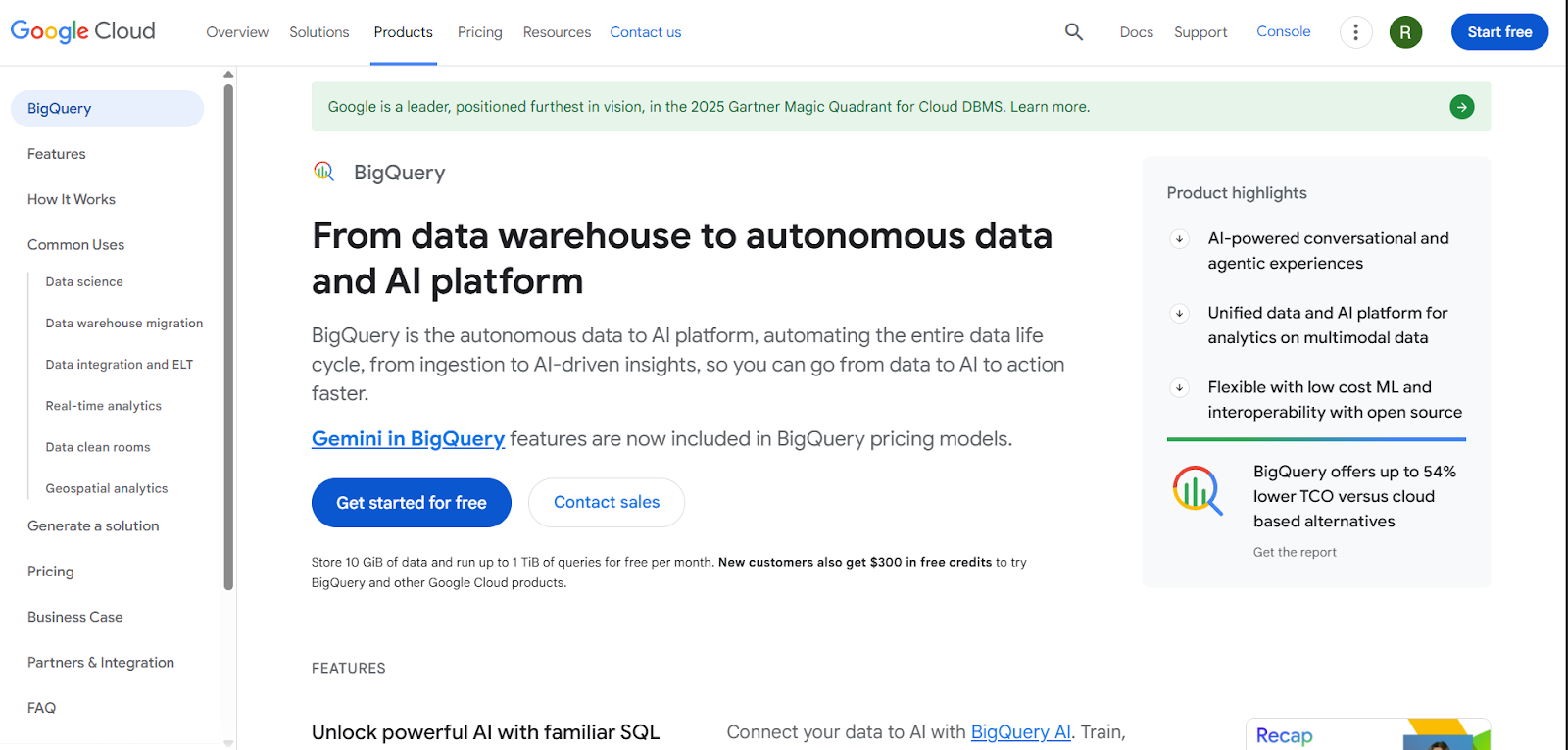
Google BigQuery is a fully-managed, serverless data warehouse designed for real-time analytics and large-scale data processing. Built on Google Cloud, BigQuery is designed to handle massive datasets with speed and efficiency. Its serverless architecture eliminates the need for infrastructure management, providing automatic scaling and optimized query performance.
Core function and positioning: BigQuery centralizes data for advanced analytics, leveraging Google Cloud's vast ecosystem. It is particularly suitable for businesses looking to run complex queries on large datasets with minimal setup.
Best features:
-
Serverless, fully managed architecture: BigQuery eliminates infrastructure management, letting you focus on querying and analyzing data.
-
Massive scalability & speed: It handles petabyte‑scale datasets with rapid SQL query performance backed by Google’s infrastructure.
-
Built‑In AI & ML capabilities: Integrated machine learning and AI functions (including generative AI via Gemini) enable advanced analytics and model building right inside BigQuery.
-
Real‑time and multimodal analytics: Supports analysis across structured, semi‑structured, and multimodal data (e.g., vector search, continuous queries).
-
Strong integration ecosystem: Seamlessly connects with Google Cloud services, BI tools like Looker, and AI/ML platforms.
Pros:
-
Blazing fast analytics: BigQuery processes complex queries quickly and reliably, even on very large datasets.
-
Highly scalable: Its serverless model auto‑scales to accommodate data growth without manual resource management.
-
AI‑ready platform: Built‑in ML and generative AI capabilities allow you to apply advanced analytics without moving data.
Cons:
-
Cost complexity: Pay‑per‑query and separate storage/compute billing can become expensive if not monitored or optimized.
-
Learning curve for advanced features: While SQL is familiar, leveraging AI/ML and optimization features can require additional expertise.
Best fit: BigQuery is best suited for businesses already invested in Google Cloud who need real-time, scalable analytics for large datasets and machine learning workflows.
3. Amazon Redshift
Amazon Redshift is a fully-managed, petabyte-scale data warehouse solution from AWS, designed for fast querying and analysis of massive datasets. It integrates well with the AWS ecosystem, making it a powerful tool for users already leveraging other AWS services.
Core function and positioning: Redshift focuses on high-performance analytics, using columnar storage and data compression to deliver fast results on large datasets. It’s ideal for businesses requiring advanced analytics on structured and semi-structured data.
Best features:
-
Petabyte‑scale performance: Redshift is a fully managed, high‑performance data warehouse designed to analyze massive datasets with fast SQL queries.
-
Massively parallel processing (MPP): Queries are distributed across multiple nodes in parallel, dramatically speeding up complex analytical workloads.
-
Redshift spectrum & lakehouse querying: Run SQL queries directly on data stored in Amazon S3 (open formats like Parquet, ORC, JSON) without loading.
-
Security & access controls: Offers end‑to‑end encryption, network isolation, and granular row‑ and column‑level permissions.
-
Zero-ETL & automation: Supports zero‑ETL integration with AWS databases and automates many administrative tasks, reducing manual effort.
Pros:
-
High performance at scale: Delivers rapid analytics on large datasets using MPP and columnar storage, ideal for complex BI workloads.
-
Seamless AWS ecosystem integration: Works tightly with AWS services (S3, SageMaker, Lake Formation), enabling holistic analytics workflows.
-
Flexible deployment options: Includes both provisioned clusters and serverless models to match performance and cost needs.
Cons:
-
Resource optimization complexity: Performance tuning and management (e.g., distribution/sort keys) can be complex without specialized expertise.
-
Scaling limitations vs. competitors: Elastic scaling is less seamless than serverless options provided by Snowflake or BigQuery, potentially impacting dynamic workloads.
Best fit: Redshift is ideal for businesses heavily invested in the AWS ecosystem, looking for high-performance analytics and scalability for large datasets.
4. Microsoft Azure Synapse
Azure Synapse is a cloud-based data warehouse and big data analytics platform that integrates with both structured and unstructured data. It combines data warehousing, data lakes, and on-demand analytics into one unified platform, designed to bridge the gap between data engineers and data scientists.
Core function and positioning: Azure Synapse integrates various data sources into a single platform, offering real-time analytics and business intelligence (BI) capabilities. It’s positioned as a hybrid cloud solution, making it ideal for businesses requiring flexible cloud deployments.
Best features:
-
Unified analytics platform: Brings together data integration, warehousing, and big data analytics in a single service, helping reduce tool fragmentation.
-
Serverless and dedicated SQL options: Offers both on‑demand serverless SQL and provisioned resources for flexible query execution.
-
Massively parallel processing (MPP): Handles large data volumes efficiently, accelerating complex queries and analytics.
-
Deep azure ecosystem integration: Seamlessly connects with Power BI, Azure Machine Learning, Data Lake, and other Azure services.
-
Security & governance: Built‑in security controls include encryption and access management to help protect data and support compliance.
Pros:
-
Highly scalable & performant: Capable of processing very large datasets with strong performance for analytics workloads.
-
Unified workspace: Synapse Studio provides a central environment for data prep, SQL, Spark, and BI workflows.
-
Rich integration with Azure services: Tight integration enhances analytics, machine learning, and reporting workflows.
Cons:
-
Steep learning curve: The Complexity of the platform and varied components can make onboarding challenging.
-
Cost & setup complexity: Pay‑as‑you‑go pricing and initial configuration may be unpredictable or difficult compared to simpler tools.
Best fit: Azure Synapse is best suited for businesses needing hybrid cloud support, seamless integration with Microsoft tools, and a unified platform for data engineering and analytics.
5. Teradata Vantage
Teradata Vantage is an enterprise-grade data warehouse solution known for its high-performance analytics, data orchestration, and multi-cloud capabilities. It offers both on-premises and cloud deployment options, providing flexibility for large enterprises with diverse data needs.
Core function and positioning: Vantage provides advanced analytics for massive datasets, enabling enterprises to run complex queries across multiple data environments. It’s designed for high-performance, data-driven industries such as finance and retail.
Best features:
-
Connected multi‑cloud analytics platform: Teradata Vantage offers a single platform for enterprise analytics, supporting deployment across cloud and on‑premises environments.
-
Flexibility to manage mixed workloads: It handles diverse workloads, data warehousing, analytics, and reporting, without bottlenecks.
-
Advanced analytics & AI/ML integration: Built‑in support for advanced analytics, machine learning, and graph functions empowers deeper insight generation.
-
Hybrid and multi‑cloud deployment: Offers hybrid cloud support, letting enterprises choose deployment models that fit their architecture and compliance needs.
-
Unified data access & integrity: Enables consolidation of disparate data sources into a single version of truth for consistent insights.
Pros:
-
High performance & scalability: Users consistently praise Vantage’s ability to process large datasets with speed and accuracy, thanks to its optimized architecture.
-
Strong enterprise analytics: Its robust analytic capabilities, coupled with SQL, Python, and R support, make it suitable for complex enterprise use cases.
-
Cloud & hybrid flexibility: Vantage’s hybrid cloud options and compatibility with major cloud providers offer maximum deployment flexibility and scale.
Cons:
-
Steep learning curve: Users frequently note that the platform can be complex to learn and navigate, especially for new or non‑technical users.
-
Complexity & integration challenges: Integrations with other systems and some tooling can require effort, and the interface may feel outdated compared to newer platforms.
Best fit: Teradata Vantage is perfect for large enterprises in industries like finance and retail that need high-performance analytics and multi-cloud integration across complex data environments.
6. Databricks SQL Warehouse
Databricks SQL Warehouse is a unified analytics platform built on Apache Spark, designed to handle both data engineering and machine learning workloads. It offers a cloud-native architecture, combining data processing, storage, and querying in one platform.
Core function and positioning: Databricks SQL Warehouse is tailored for businesses that need to run SQL workloads and perform data engineering and machine learning tasks on a unified platform. It’s ideal for organizations requiring fast, scalable data processing and collaborative workflows.
Best features:
-
Lakehouse‑native data warehouse: Combines data lake and warehouse capabilities in a single platform to run SQL analytics directly on your data lake.
-
Serverless & elastic compute: Offers serverless compute that auto‑scales resources to match workload demands without manual cluster management.
-
High‑concurrency query performance: Tuned for low‑latency and high concurrency, enabling fast BI queries and dashboards at scale.
-
Built‑in AI and SQL integration: Supports AI‑augmented SQL analytics and in‑platform query authoring with intelligent tools.
-
Seamless BI tool integration: Easy connections with BI tools like Power BI, Tableau, Looker, and more for real‑time visual analytics.
Pros:
-
Unified analytics platform: Enables data warehousing, BI, and AI workflows on a single lakehouse platform, reducing tool sprawl.
-
Elastic cost‑efficiency: Serverless compute helps lower cost by only charging for actual resources used during query execution.
-
Strong governance & security: Integrated with Unity Catalog for unified governance, access control, and secure analytics.
Cons:
-
Learning curve for new users: The breadth of capabilities and lakehouse concepts may require time for teams to adopt fully.
-
Cost management requires monitoring: Without careful oversight, serverless and high‑concurrency compute can lead to increased spend.
Best fit: Databricks SQL Warehouse is ideal for businesses focused on machine learning, real-time data processing, and large-scale data engineering, especially in AI-driven environments.
How to choose the best data warehouse tool
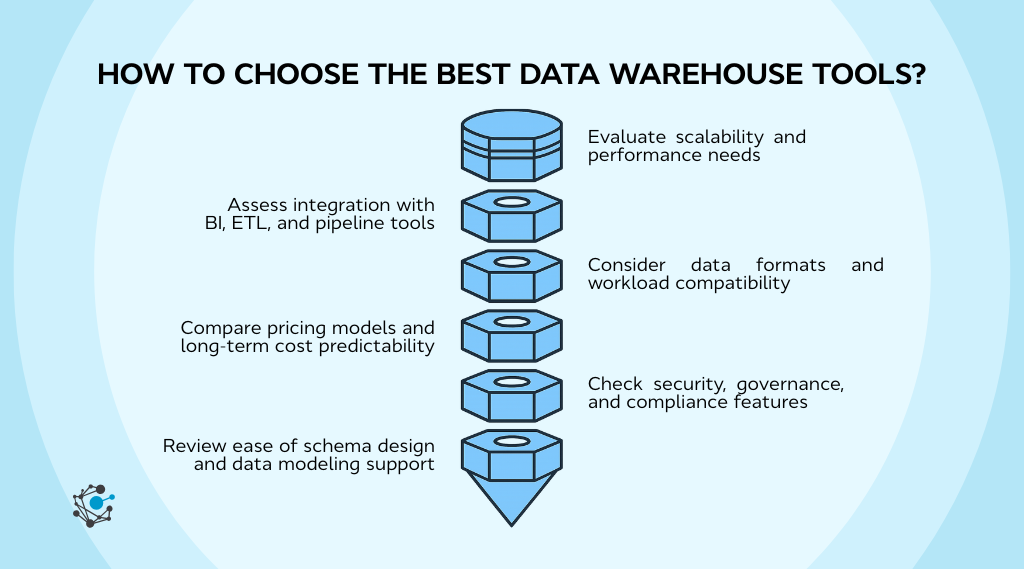
Choosing the right data warehouse tool for your business is a critical decision that impacts everything from performance and scalability to cost-efficiency and integration.
1. Evaluate scalability and performance needs
Scalability is a critical factor when selecting a data warehouse. As your data grows, your warehouse must be able to scale seamlessly without affecting performance. Look for a solution that offers automatic or manual scaling options to meet your growing data needs.
-
Assess the tool’s ability to scale both compute and storage independently.
-
Test the query speed and latency on a sample dataset.
-
Evaluate how the tool handles concurrent queries to ensure it supports your business’s data traffic.
2. Assess integration with BI, ETL, and pipeline tools
Your data warehouse should easily integrate with Business Intelligence (BI) tools, ETL platforms, and data pipelines. This ensures smooth data flow and real-time insights, making it easier to analyze and report data without any disruptions.
-
Check the compatibility of your BI tools like Power BI or Tableau with the warehouse.
-
Ensure the tool supports ETL platforms like Apache Airflow or Talend for smooth data transformation.
-
Test API and data pipeline integrations to ensure seamless data ingestion.
3. Consider data formats and workload compatibility
Different data warehouses handle structured, semi-structured, and unstructured data in various ways. Ensure that your warehouse can handle the data types you work with, and that it supports workloads like SQL queries or machine learning.
-
Check if the tool supports semi-structured data formats (e.g., JSON, Avro).
-
Evaluate whether the warehouse can handle your SQL or machine learning workloads.
-
Test its ability to manage both structured and unstructured data.
4. Compare pricing models and long-term cost predictability
Understanding the pricing model of a data warehouse is crucial. Pay-per-query, subscription-based, and storage-based models can all impact your budget, especially as data volumes grow.
-
Review pricing models (pay-per-query, subscription, storage-based) and assess what fits your usage pattern.
-
Estimate your long-term costs based on expected data growth.
-
Monitor any potential additional costs for advanced features like auto-scaling or real-time analytics.
5. Check security, governance, and compliance features
Security is paramount, especially when handling sensitive data. Make sure the tool offers robust security features like encryption and compliance with industry regulations (GDPR, HIPAA, etc.).
-
Ensure encryption at rest and in transit is available.
-
Evaluate role-based access control (RBAC) and multi-factor authentication.
-
Check for compliance features, such as automated audits and metadata management.
6. Review the ease of schema design and data modeling support
A flexible schema design is necessary to accommodate evolving data. Ensure the tool allows for easy schema updates and supports data modeling capabilities that align with your needs.
-
Check for schema design options like star or snowflake schemas.
-
Ensure the tool supports auto-modeling and schema changes.
-
Verify if the tool provides automated data lineage tracking for better governance.
By considering these key factors, you can choose a data warehouse tool that scales with your business needs, integrates well with existing systems, and provides the performance and security your organization requires.
Conclusion
Choosing the right data warehouse tool really comes down to understanding your scale, workloads, ecosystem fit, and how predictable you want your costs to be over time.
Analytics today often needs to move faster than traditional warehouse workflows allow. Teams want on-demand insights from governed data, without waiting for long transformation cycles or re-modeling efforts.
This is where OvalEdge’s AskEdgi makes a meaningful difference. With AskEdgi, OvalEdge acts like a pop-up data warehouse for analytics, letting teams query and explore trusted data instantly using metadata, lineage, and policy context.
No matter which data warehouse you choose, OvalEdge strengthens your analytics foundation by improving data visibility, trust, and usability, ensuring your warehouse investments scale effectively with business needs.

Book a Demo with OvalEdge and see how AskEdgi makes your data work smarter, not harder.
FAQs
1. What factors determine whether a business needs a cloud or on-premises data warehouse?
Cloud warehouses suit teams needing elasticity and lower maintenance, while on-premises fits strict compliance, legacy systems, or predictable workloads. The choice depends on scalability expectations, security policies, and existing infrastructure maturity.
2. Why do organizations use a pop-up data warehouse alongside an existing warehouse?
Organizations use a pop-up data warehouse to answer new or time-sensitive questions without redesigning schemas or pipelines. It provides fast, governed access to data using metadata and lineage, complementing core warehouses rather than replacing them.
3. Who typically uses a pop-up data warehouse inside an organization?
Pop-up data warehouses are commonly used by data analysts, compliance teams, and business stakeholders who need quick, governed answers without waiting for engineering changes to be implemented. They support faster decision-making while maintaining controlled and auditable data access.
4. Can small teams manage a modern data warehouse without dedicated data engineers?
Yes, many cloud warehouses offer automated scaling, ELT support, and no-ops management. Pairing them with low-code pipeline tools allows smaller teams to manage ingestion, transformation, and monitoring without heavy engineering resources.
5. How do businesses evaluate the long-term costs of data warehouse platforms?
Organizations assess compute usage patterns, storage tiers, data transfer fees, and concurrency requirements. Cost predictability improves when teams model real workloads instead of vendor benchmarks and combine monitoring tools with governance controls.
6. What performance metrics matter most when comparing data warehouse tools?
Key metrics include query latency, concurrency limits, storage–compute separation, ingestion speed, and auto-scaling efficiency. These indicators reveal how well a warehouse handles peak demand, complex joins, and large analytical workloads.
.png?width=1081&height=173&name=Forrester%201%20(1).png)
.png?width=1081&height=241&name=KC%20-%20Logo%201%20(1).png)