Enterprise organizations rely on multiple tools to manage and govern data. There are platforms for storage, integration, analytics, privacy, security, and reporting. Each system generates its own metadata, policies, and documentation.
Teams use these tools to track data assets, control access, maintain quality, and meet compliance requirements. Privacy teams need visibility into personal data. Security teams monitor risk. Data teams manage schemas, tables, and pipelines. Auditors expect clear documentation.
The challenge is that many tools overlap. Data inventory software, data dictionaries, data catalogs, data lakehouses, and data governance platforms often share similar language but serve different purposes. This creates confusion during evaluation and leads to gaps in visibility.
Most data inventory initiatives fail quietly. The platform is deployed, discovery runs once, dashboards look impressive, and six months later, no one updates it. The tool exists, but it no longer reflects reality. That erosion is subtle and dangerous.
A data inventory focuses on discovering, cataloging, and continuously maintaining a centralized record of data assets across systems.
It answers practical questions like what data exists, where it is stored, what it contains, who owns it, and how it is used.
By automating discovery and tracking changes over time, data inventory software supports governance, compliance, risk management, and audit readiness.
In this blog, we will clarify what data inventory software actually does, how it differs from related tools, and how to evaluate the right platform for your organization.
Best data inventory tools and platforms for 2026
Most data inventory tools fall into three camps: privacy-led, engineering-led, and governance-led. The distinction matters because your primary risk driver determines the right fit.
Privacy-led tools focus on regulatory exposure and personal data tracking. Engineering-led tools emphasize pipelines, schema changes, and technical lineage. Governance-led platforms connect business meaning, ownership, compliance, and structural metadata into a unified control layer.
Choosing the wrong category often creates blind spots. A privacy-first tool may miss business alignment. An engineering-first tool may lack policy enforcement and stewardship workflows.
A governance-led approach typically provides broader visibility across definitions, ownership, lineage, and risk, making it more sustainable as data ecosystems scale.
1. Clarip

Clarip is a data inventory software platform designed to automatically discover, classify, and track data assets across modern cloud data environments. It focuses on creating a continuously updated inventory of databases, tables, fields, and data flows to support governance, risk management, and audits.
Clarip is commonly used in analytics-heavy organizations where data changes frequently, and manual documentation cannot keep up. Its strength lies in technical depth, automation, and visibility into how data moves across systems.
Key features
-
Automated data discovery: Scans cloud warehouses and analytics platforms to identify new and existing data assets without manual input, reducing blind spots in growing data environments.
-
Metadata and asset cataloguing: Captures technical metadata such as schemas, fields, and tables to create a searchable inventory that improves visibility and ownership clarity.
-
Data lineage mapping: Automatically maps upstream and downstream data flows to help teams understand dependencies and assess the impact of data changes or incidents.
-
Sensitive data classification: Identifies regulated and sensitive data types to support privacy, security, and compliance workflows.
Pros
-
Strong automation for fast-changing data stacks
-
Deep technical visibility into data lineage
-
Well-suited for governance and audit readiness
Cons
-
More technical than privacy-focused teams may need
-
Best value realized in cloud-first environments
Pricing
Clarip offers three pricing tiers. Silver covers basic privacy policies and technology scanning for a single site or app. Gold adds compliance dashboards, dispute resolution, and software inventory management across unlimited properties. Enterprise provides custom pricing with private cloud, advanced reporting, APIs, and unlimited inventory and compliance capabilities.
Rating
2. DataGrail
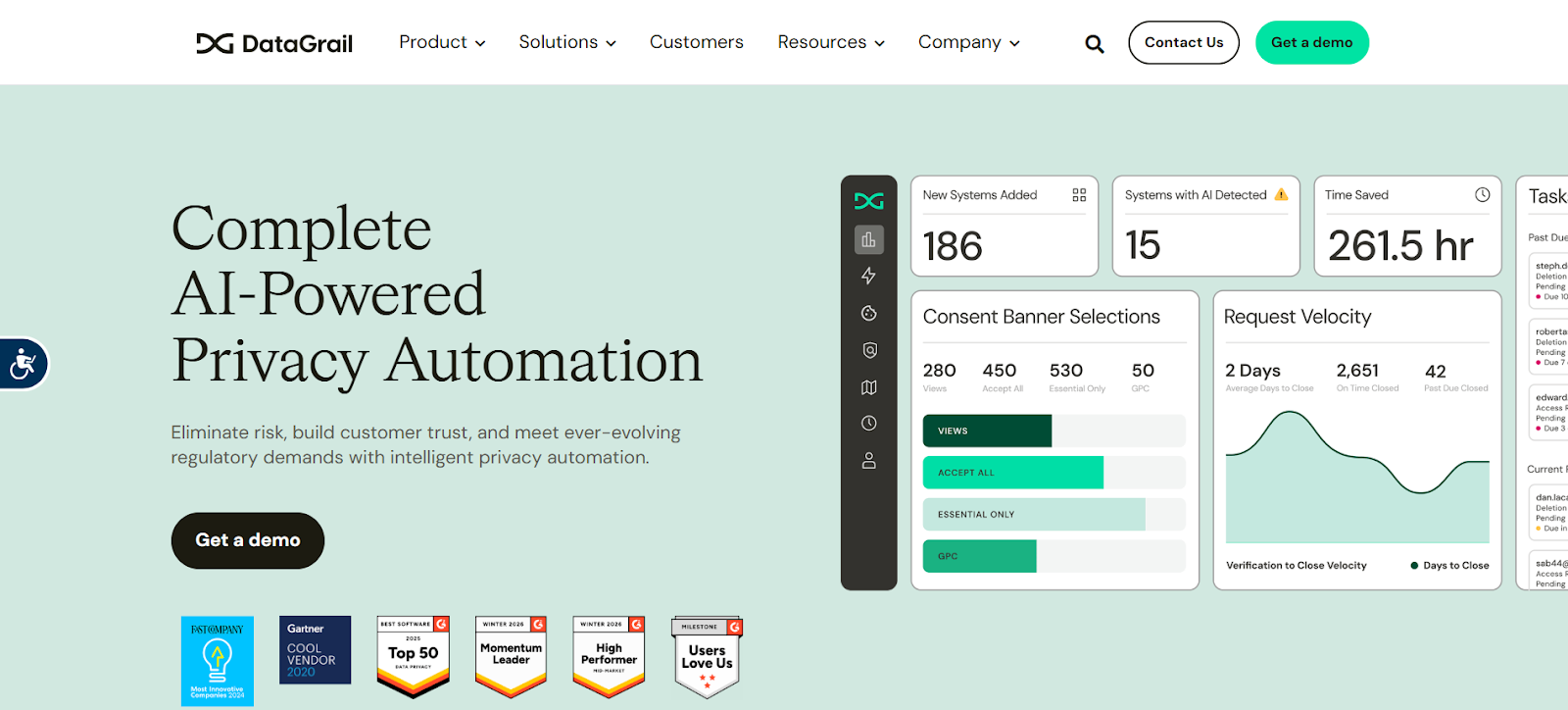
DataGrail positions data inventory software as the foundation of privacy operations. It focuses on identifying and documenting where personal data exists across SaaS applications, cloud systems, and internal tools.
It is built to support compliance with regulations such as GDPR and CCPA by maintaining accurate records of processing activities. DataGrail is most often used by privacy, legal, and compliance teams that need defensible documentation rather than deep technical lineage.
Key features
-
Personal data mapping: Automatically maps personal data across connected systems to maintain an up-to-date inventory for privacy compliance.
-
Records of processing documentation: Generates structured records that support regulatory reporting and audits.
-
SaaS and application integrations: Connects with common business applications to reduce manual data discovery work.
-
Privacy workflow enablement: Links data inventory to DSAR and consent workflows for end-to-end privacy operations.
Pros
-
Strong alignment with privacy regulations
-
Easy to use for non-technical teams
-
Clear compliance-focused reporting
Cons
-
Limited technical lineage depth
-
Less suited for analytics and engineering use cases
Rating
3. Talend
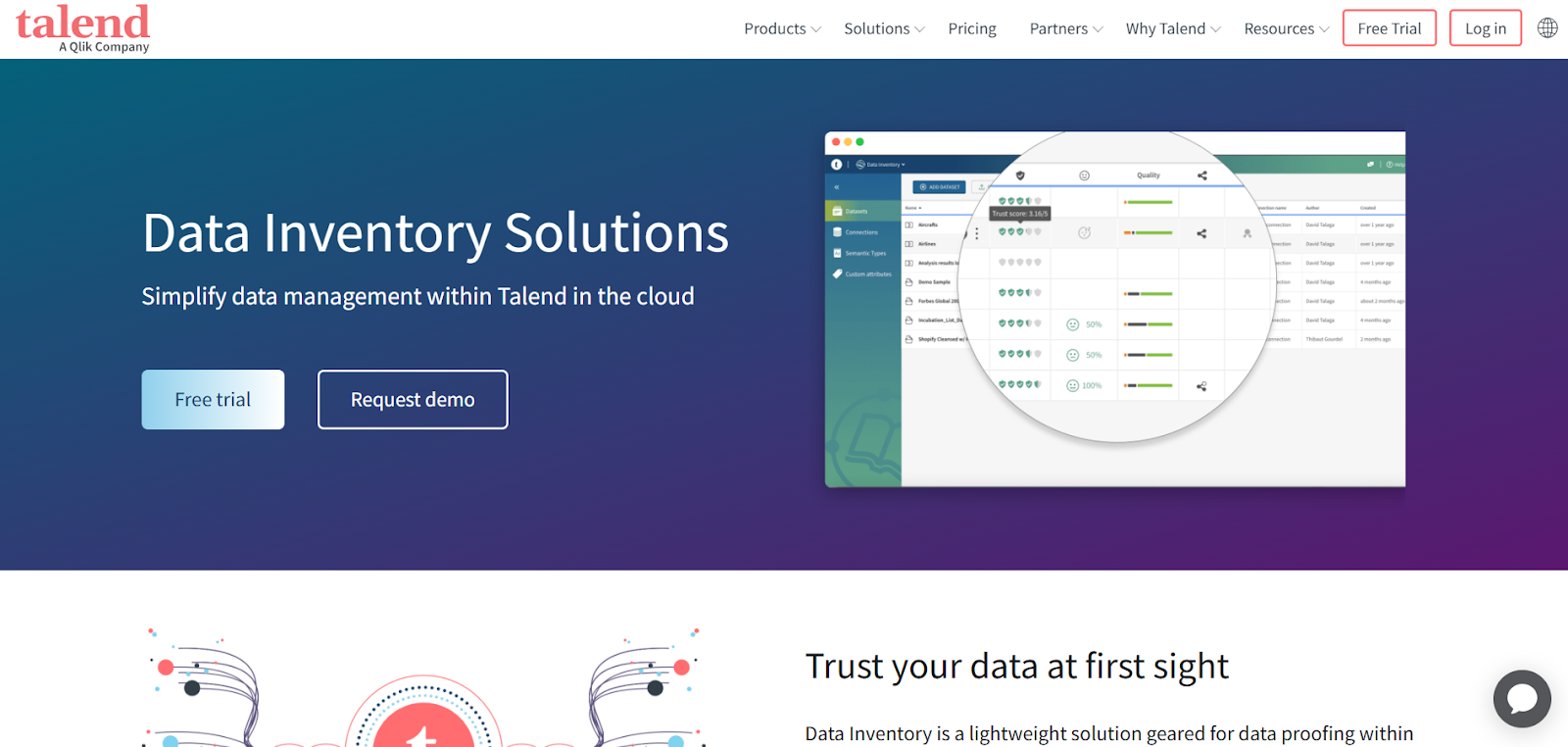
Talend offers data inventory software capabilities as part of a broader enterprise data management platform.
Its inventory functionality is closely tied to metadata management, data quality, and integration workflows. Talend is often used by organizations that need to inventory data assets across legacy and modern systems while maintaining consistency and reliability.
It is best suited for enterprises that already rely on Talend for ETL, integration, or governance initiatives.
Key features
-
Enterprise metadata management: Centralizes metadata from multiple systems to improve data visibility and consistency.
-
Data catalog and inventory: Creates a searchable inventory of data assets across databases and applications.
-
Data quality integration: Links inventory with quality checks to help teams trust documented data assets.
-
System and application connectivity: Supports a wide range of enterprise and cloud systems.
Pros
-
Strong enterprise system coverage
-
Integrated data quality and governance
-
Mature platform with broad capabilities
Cons
-
Can be complex to implement
-
Higher overhead for teams needing only inventory
Pricing
Qlik Talend Cloud offers four tiers. Starter supports basic SaaS and database ingestion with catalog and metadata. Standard adds real-time CDC and hybrid deployment. Premium includes automated transformations and lineage. Enterprise adds governance, data quality, AI readiness, and advanced stewardship. Pricing is usage-based.
Rating
4. Transcend
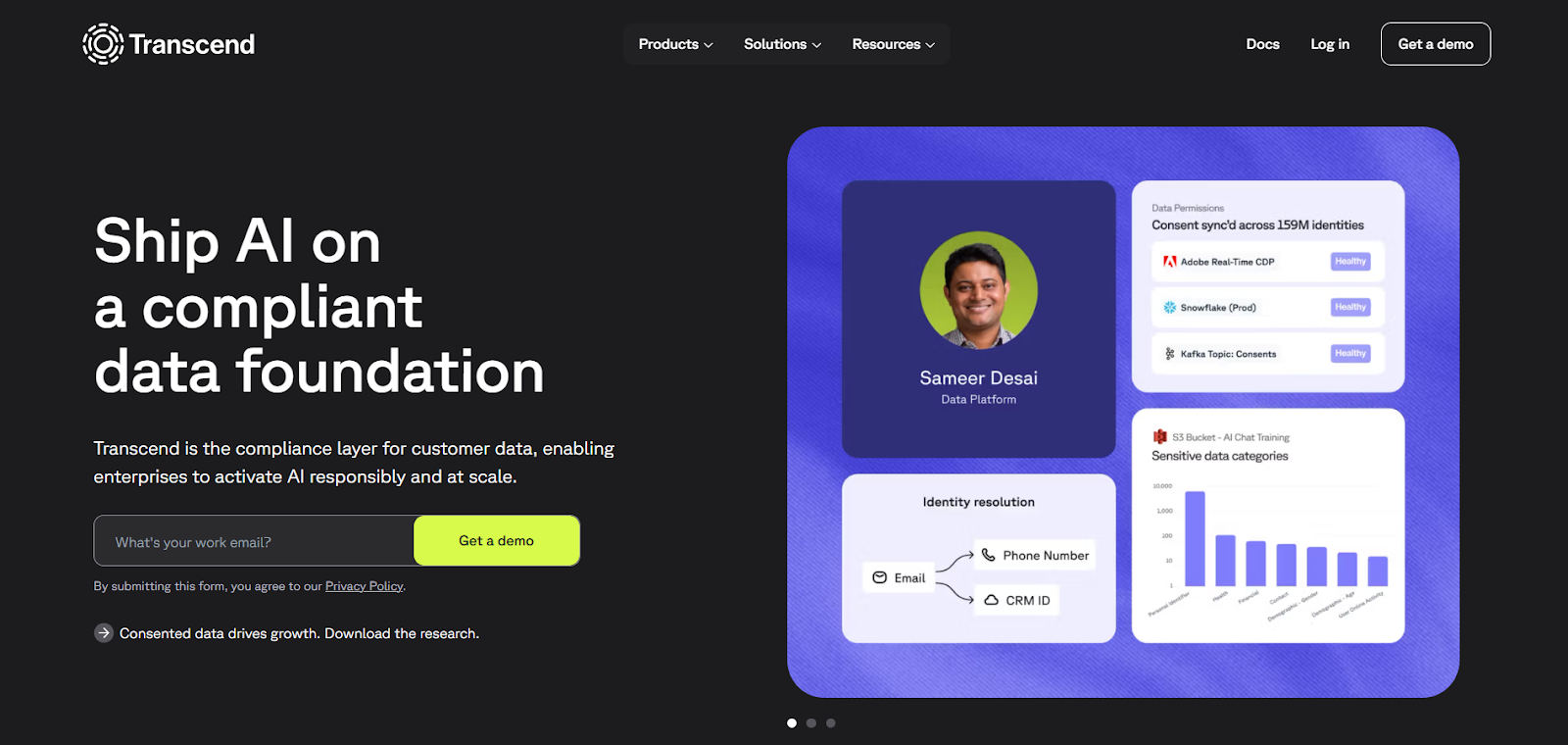
Transcend provides data inventory software as part of a privacy engineering focused platform. It helps organizations identify where personal data exists in order to automate privacy workflows such as DSAR fulfillment and consent enforcement.
Transcend is commonly used by engineering-led teams that want programmatic control over data flows and privacy infrastructure. Its inventory capabilities are designed to integrate directly into product and application architectures.
Key features
-
Privacy-oriented data discovery: Identifies personal data across internal systems and applications.
-
Engineering first integrations: Uses APIs and code-based approaches to maintain accurate inventories.
-
DSAR and consent enablement: Connects data inventory to automated privacy request handling.
-
System-level visibility: Helps teams understand how personal data moves through applications.
Pros
-
Strong fit for engineering-driven organizations
-
Deep integration with privacy workflows
-
Flexible and developer-friendly
Cons
-
Requires technical resources to manage
-
Less focused on broad governance reporting
Rating
5. Mandatly
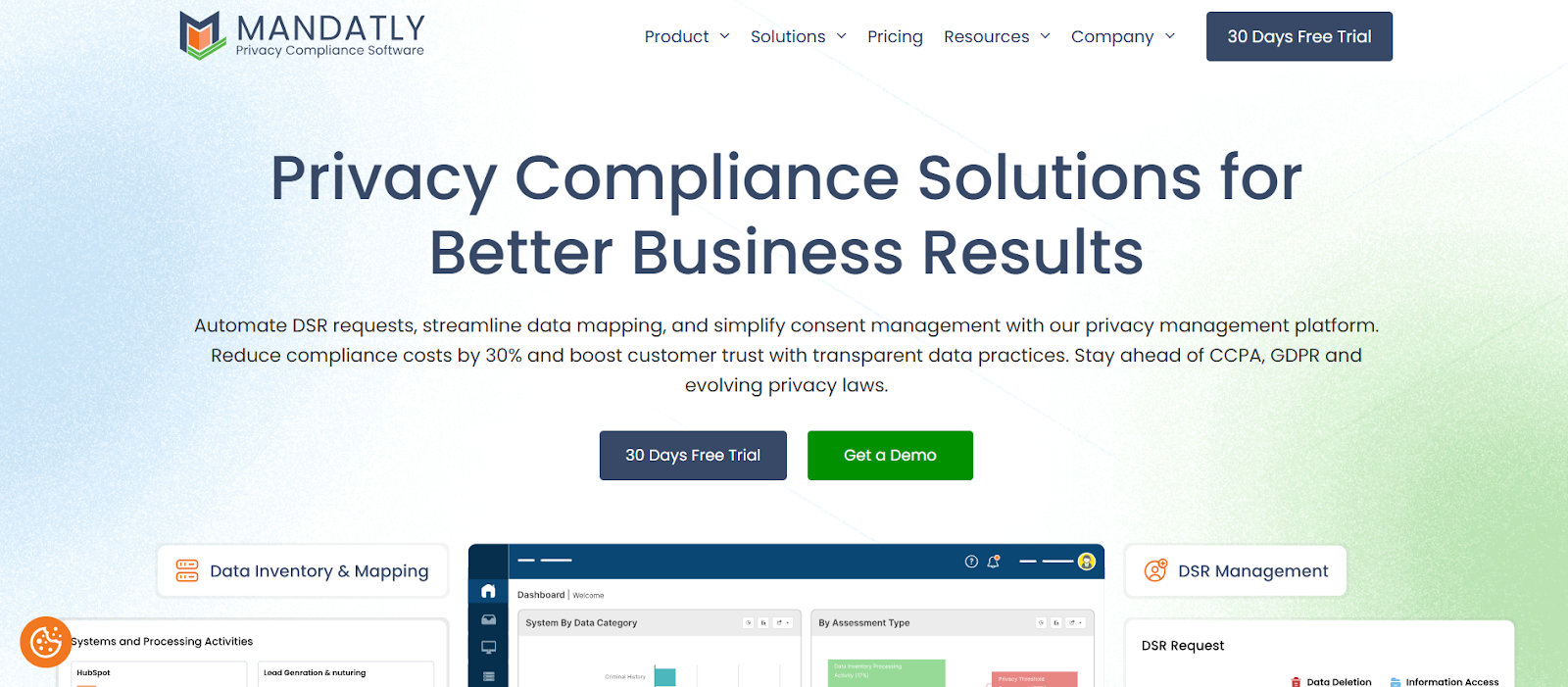
Mandatly focuses on automated data inventory and mapping for regulatory compliance. It is designed to help organizations document where personal data is processed and how it is used, primarily to support privacy reporting obligations.
Mandatly emphasizes clarity and documentation over deep technical data analysis. It is often adopted by compliance and risk teams that need reliable records for audits and regulatory reviews.
Key features
-
Automated data mapping: Creates and maintains inventories of data processing activities across systems.
-
Compliance documentation: Supports structured records required for privacy regulations.
-
Centralized inventory management: Keeps data inventories consistent and accessible for audits.
-
Low technical overhead: Designed for teams without deep data engineering resources.
Pros
-
Clear focus on regulatory documentation
-
Easier adoption for compliance teams
-
Reduces manual record keeping
Cons
-
Limited data lineage capabilities
-
Not designed for complex analytics environments
Pricing
Mandatly offers a privacy compliance platform with a 30-day free trial and modular pricing by solution. Plans cover consent management, DSARs, data inventory, and assessments, with Basic, Professional, and Enterprise tiers. Pricing scales by usage, features, and integrations, with support included.
When comparing data inventory software, the most important factor is not feature volume but alignment with your primary use case.
Teams focused on analytics governance need different capabilities than those driven by privacy compliance or cloud security. The strongest platforms reduce manual work, stay accurate over time, and integrate naturally with how your organization already manages data, risk, and governance.
Data inventory maturity levels
Not all data inventory software delivers the same level of control, visibility, or governance impact. The difference rarely lies in feature lists alone. It lies in how the inventory is maintained, integrated, and embedded into operational workflows.
Understanding maturity levels helps organizations assess whether their data inventory supports compliance, security, and governance in practice, or simply documents assets at a surface level.
Most enterprise environments fall into one of four stages.
Level 1: Spreadsheet inventory
At this stage, data assets are tracked manually in spreadsheets or static documents. Teams record databases, applications, and sensitive fields during audits, migrations, or regulatory reviews. Updates occur reactively rather than continuously.
The core limitation is accuracy over time. As new tables are created, cloud storage expands, or SaaS tools are adopted, the spreadsheet becomes outdated almost immediately. Ownership is often informal. Version control is inconsistent. Institutional knowledge fills the gaps.
In this model, documentation exists, but visibility is fragmented. During audits or incident response, teams must reconcile multiple files to reconstruct lineage or validate data classification. Governance remains dependent on individual effort rather than automated systems.
Level 2: Scheduled scans
Organizations at this level adopt automated data inventory software, but discovery runs on a periodic schedule. Weekly or monthly scans identify databases, schemas, tables, and selected fields across specific systems.
This improves coverage and reduces manual documentation, but gaps remain. Changes that occur between scans may not be captured immediately. New cloud instances, shadow SaaS applications, or schema modifications can remain invisible for weeks.
Compliance and security teams still rely on manual validation. When a privacy request or security incident occurs, they must verify whether the latest system changes are reflected in the inventory. The system supports governance, but does not fully synchronize with operational reality.
Level 3: Continuous, integrated inventory
At this stage, data inventory software runs continuous or near real-time discovery across structured and unstructured systems. New tables, fields, and data flows are automatically identified. Metadata updates reflect schema changes, system integrations, and evolving data pipelines.
Inventory data becomes reliable enough to support audits, incident response, and compliance reporting without manual reconstruction. Ownership, classification, and lineage are centrally maintained and searchable.
Integration with identity systems, data catalogs, and governance platforms improves accuracy. For example, when a new database is deployed in a cloud environment, the inventory updates automatically and applies existing classification rules. This reduces blind spots and strengthens regulatory defensibility.
Organizations at this level move from documentation toward operational control. Data inventory software supports real governance workflows rather than isolated reporting exercises.
Level 4: Inventory embedded in governance workflows
In the most mature environments, the inventory does not simply catalog data assets. It drives action across governance, security, and compliance processes.
Access controls reference classified assets. Policies apply dynamically based on data sensitivity and ownership. Lineage supports impact analysis before schema changes are approved. Compliance reports are generated directly from the inventory without manual compilation.
AI and analytics initiatives validate data provenance using inventory records. Risk teams can trace regulated data across systems and transformations. Security teams monitor access in the context of classification and system connectivity.
At this level, data inventory software functions as infrastructure. It centralizes metadata, synchronizes discovery across systems, and connects governance policies to actual data usage. The inventory becomes the authoritative layer that supports compliance automation, risk monitoring, and enterprise data management at scale.
Understanding where your organization sits on this spectrum clarifies whether you are investing in documentation or building a durable governance foundation. Maturity determines whether your data inventory software reduces operational friction or simply shifts it into another system.
Core features to look for in data inventory software
Choosing data inventory software often looks straightforward at first. Most platforms promise automated discovery, centralized visibility, and compliance readiness.
The difference only becomes clear months later, when inventories fall out of sync with reality and teams stop trusting what the system shows. The features below are the ones that consistently determine whether a data inventory platform remains accurate, usable, and defensible over time.
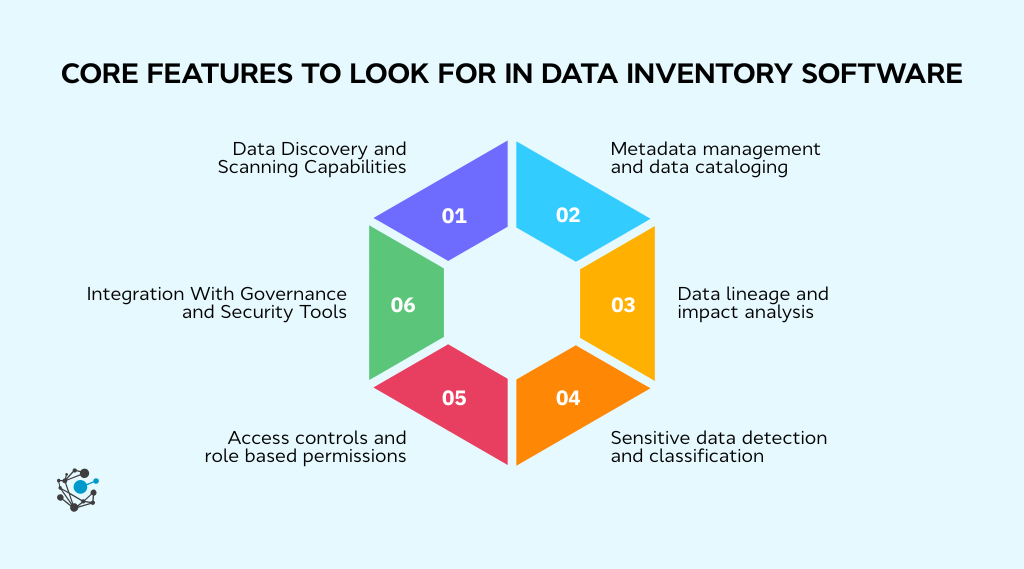
1. Data Discovery and Scanning Capabilities
Inventory tools that depend on manual input or infrequent scans inevitably miss changes. Effective platforms automatically scan databases, data warehouses, file systems, and SaaS applications to identify new tables, fields, and data stores as they appear.
Support for both cloud and on-prem systems is essential, since most organizations operate hybrid environments. Configurable scan schedules matter as well. Some systems require near real-time discovery, while others can tolerate periodic updates depending on risk and compliance needs.
2. Metadata management and data cataloging
Discovery answers where data exists, but metadata explains what that data is and why it matters. Without clear metadata, data inventories become long lists of tables and files that provide little practical value during audits, investigations, or governance reviews.
Strong data inventory software captures multiple layers of metadata in a single system.
-
Technical metadata includes schemas, fields, and data types.
-
Business metadata adds context such as definitions, usage purpose, and data owners.
-
Operational metadata shows how often data is updated and which systems depend on it.
Together, these elements turn raw discovery into usable information.
According to a 2024 Forrester Research Report on Enterprise Data Catalogs, organizations use enterprise data catalogs to enhance metadata management and strengthen data governance programs, while also enabling controlled data sharing and self-service access across teams.
In practice, it means metadata is not just documentation. It becomes the foundation for consistent definitions, accountable ownership, and reliable reporting.
Organizations often struggle to answer basic questions during audits, such as who owns a dataset or whether it contains regulated information.
Features like ownership assignment, tagging, and searchability allow teams to resolve these questions quickly without relying on institutional knowledge or manual follow-ups. It improves accountability and reduces response time during regulatory or security events.
There is overlap between data inventory software and data catalog software, but the intent is different. Catalogs are designed to help analysts find data for reporting and analysis. Data inventory tools focus on control, governance, and risk.
The emphasis is on clarity, accuracy, and defensibility rather than exploration or analytics enablement.
3. Data lineage and impact analysis
Data lineage is one of the most practical capabilities within data inventory software because it explains how data actually moves through an organization.
It shows where data originates, how it is transformed, and where it is ultimately consumed in reports, dashboards, or downstream applications. Without lineage, data inventories become static lists that fail to reflect real operational dependencies.
In day-to-day operations, teams often encounter problems when making changes to schemas, pipelines, or source systems. A column rename or transformation update can silently break reports or introduce incorrect results.
Impact analysis builds on lineage by revealing which datasets, models, or reports depend on a specific asset. It allows teams to assess risk before changes are made rather than reacting after issues surface.
During incidents or migrations, the absence of lineage forces teams to manually trace dependencies across tools and documentation. It slows response time and increases the likelihood of missed impacts.
4. Sensitive data detection and classification
Effective platforms automatically scan data at the field or file level to identify sensitive data types based on patterns, context, and configurable rules.
This is especially important in environments where the same dataset is copied, transformed, or integrated into multiple systems. Without automated classification, sensitive data spreads silently, increasing compliance exposure and expanding the attack surface.
According to IBM’s 2025 Cost of a Data Breach Report, the global average breach cost dropped to $4.44 million, down from $4.88 million the prior year, largely due to faster containment enabled by AI-driven defenses.
Organizations were able to identify and contain breaches in an average of 241 days, the lowest in nine years. Faster detection depends on knowing what data exists and where it resides. Accurate classification directly supports that speed.
When tools label large volumes of data as sensitive without clear reasoning, teams lose confidence and begin to ignore alerts. Strong data inventory software makes classification logic transparent and adjustable so teams can fine-tune detection rules and understand why data is labeled in a certain way. This builds trust in the inventory and reduces false positives.
Accurate classification is essential for meeting privacy obligations and preparing for breach response. When an incident occurs, teams need to quickly determine whether regulated data was involved and where it was exposed. Data inventory software that maintains up-to-date classification allows organizations to respond with clarity rather than uncertainty.
5. Access controls and role-based permissions
Data inventory software does not just document where data lives. It often exposes sensitive details about system architecture, data flows, and locations of regulated information.
If access to that information is not tightly controlled, the inventory itself can become a security liability rather than a safeguard.
Role-based access controls ensure that users only see the level of detail required for their responsibilities. In practice, different teams need different views.
Data engineers may require deep technical metadata and lineage, while privacy teams need visibility into personal data locations and processing purposes. Audit and compliance teams often need read-only access to reports without exposure to underlying system configurations.
A strong permission model supports all of these use cases without overexposing information.
Organizations frequently struggle during audits when they cannot demonstrate who has access to sensitive data documentation or when inventory access is shared too broadly.
Proper access controls simplify audits by clearly showing who can view, modify, or export inventory records. Platforms that lack granular permissions often force teams to restrict adoption or rely on external controls, which undermines the value of centralized data inventory software.
6. Integration With Governance and Security Tools
Data inventory software delivers limited value when it operates in isolation. In mature environments, inventory data must flow into existing governance, security, and analytics processes to remain accurate and actionable.
Manual exports and disconnected systems introduce delays and inconsistencies that quickly erode trust.
Integration with identity and access management systems allows organizations to connect data assets with actual access rights. This helps security teams understand not only where sensitive data resides but also who can reach it in practice.
Integration with data catalogs ensures consistency between governance documentation and analytical discovery, reducing duplication of effort. Security tool integrations support policy enforcement by triggering controls based on data classification and location.
When data inventory software integrates directly with governance workflows, updates happen automatically rather than through manual reconciliation.
Together, strong access controls and deep integrations determine whether data inventory software strengthens security and governance or simply adds another layer of complexity.
How to choose the right data inventory platform
Selecting data inventory software is rarely just a technical decision. The platform becomes a shared system of record for governance, privacy, security, and data teams.
When the fit is wrong, adoption stalls, inventories fall out of date, and trust erodes across stakeholders.
Top ranking guidance on data inventory software consistently emphasizes evaluating platforms based on how they perform in real operational conditions, not how many features appear in a checklist.
Key evaluation criteria and buying checklist
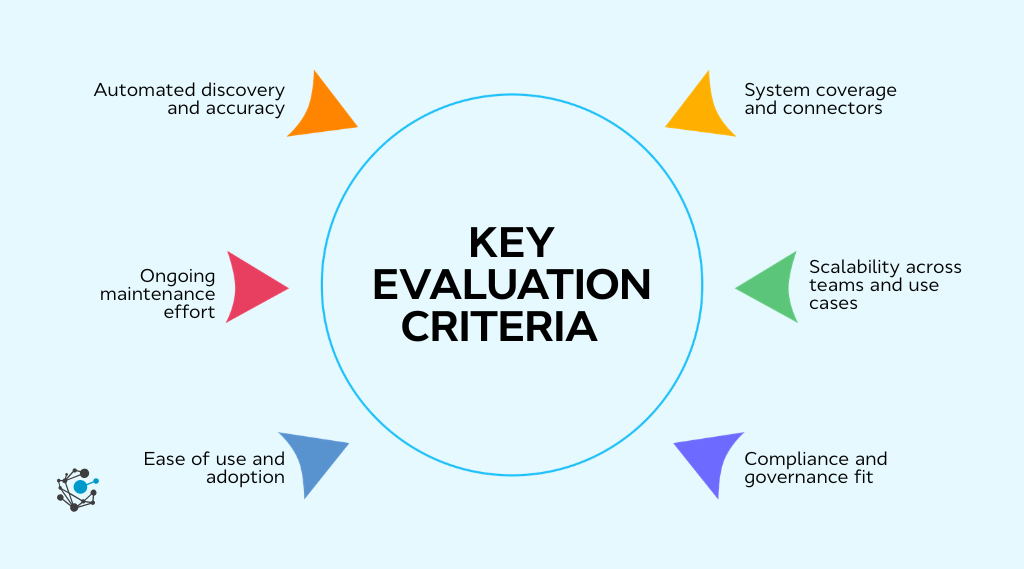
When evaluating data inventory software, focus on how well the platform maintains an accurate, usable inventory as your data environment evolves. The right tool should reduce manual effort, support governance and compliance, and remain usable across teams over time.
-
Automated discovery and accuracy: The platform should continuously discover and update data assets across databases, applications, and cloud storage as schemas and systems change.
-
System coverage and connectors: It should support both current and planned data sources to avoid blind spots that weaken the inventory.
-
Scalability across teams and use cases: The tool must scale beyond data volume to support more users, systems, and evolving compliance or security needs.
-
Compliance and governance fit: Look for alignment with the regulatory frameworks, reporting workflows, and governance models that matter to your organization.
-
Ease of use and adoption: The interface should work for engineers, privacy teams, auditors, and business users without requiring deep technical expertise.
-
Ongoing maintenance effort: Strong platforms minimize manual updates and reconciliation rather than shifting spreadsheet work into a new tool.
Questions to ask vendors during demos
Vendor demos for data inventory software are usually designed to show the product at its best.
Clean environments, limited data sources, and preconfigured workflows can hide the operational challenges that emerge after deployment.
Asking targeted questions during demos helps uncover how a platform performs in real data environments and whether it can deliver long-term value.
1. How does the platform automatically discover data across all environments?
This question goes beyond whether discovery exists. It helps clarify which systems are supported out of the box, how connectors work, and whether discovery relies on agents, APIs, or credentials.
Many organizations find that tools only cover a portion of their stack, leaving critical data sources unmanaged. Understanding discovery depth and breadth early prevents blind spots later.
2. How frequently is the data inventory updated?
Inventory accuracy depends on how often discovery runs and how changes are handled. Some platforms update continuously, while others rely on scheduled scans or manual triggers.
If updates lag behind real changes, inventories quickly lose credibility. This question reveals whether the tool can keep pace with schema updates, new tables, and evolving data flows.
3. How accurate is sensitive data detection and how are false positives handled?
Automated classification is only useful if teams trust the results. Asking how the platform identifies personal or regulated data helps uncover whether detection relies on simple pattern matching or more contextual analysis.
Understanding how false positives are reviewed and corrected is critical, since over-classification can overwhelm teams and reduce adoption.
4. How does the platform respond to schema changes or new data sources?
Real environments change constantly. This question exposes whether inventories update automatically when schemas evolve or whether manual intervention is required. Tools that fail to adapt to change often require ongoing maintenance that defeats the purpose of automation.
5. What level of lineage and impact analysis is available?
Not all lineage is equally useful. Some tools provide high-level system-to-system views, while others offer field-level visibility across transformations and reports. Asking for concrete examples during demos helps determine whether lineage supports incident response, migrations, and change management in practice.
6. How does the tool support governance and compliance workflows?
This question helps align the platform with your primary use case. Some tools focus on analytics governance, while others emphasize privacy documentation or audit reporting. Understanding how inventory data feeds into records of processing, risk assessments, or policy enforcement prevents misalignment after purchase.
7. What integrations are available with existing tools?
Data inventory software rarely operates alone. Asking about integrations with identity systems, data catalogs, BI platforms, and security tools reveals whether the inventory can remain synchronized with the broader ecosystem. Limited integrations often lead to duplicate work and inconsistent documentation.
8. How is access controlled within the platform?
Inventory data itself can be sensitive. This question clarifies whether role-based permissions are granular enough to support different users, such as engineers, privacy teams, and auditors. Weak access controls create internal risk and complicate audits.
9. What does implementation realistically look like?
Implementation timelines and effort vary widely between platforms. Asking about onboarding steps, required internal resources, and ongoing maintenance helps set realistic expectations. Tools that appear simple in demos can require significant configuration in production environments.
Together, these questions shift the evaluation from surface-level features to operational reality. They help teams select data inventory software that remains accurate, trusted, and useful long after the demo ends.
Common mistakes to avoid during selection
Organizations rarely struggle because the concept of data inventory software is flawed. They struggle because the selected platform fails under real operational pressure.
A data inventory tool is not just documentation software. It is infrastructure that supports compliance, security, reporting, and AI initiatives.
When selection mistakes occur, the consequences surface in daily operations, not during vendor demos.
Below are the most common implementation failures and what they look like in practice.
1. Audit delays and documentation gaps
Many organizations choose data inventory software that relies heavily on manual updates or periodic mapping exercises. In environments where databases, SaaS applications, and cloud platforms change frequently, manual documentation quickly becomes outdated.
During a compliance audit, this gap becomes visible. Privacy teams cannot easily generate records of processing. Governance teams cannot validate data classifications. Auditors ask for evidence of data lineage and access controls, and teams must manually reconstruct documentation.
Instead of supporting audit readiness, the data inventory becomes another source of reconciliation work. Effective data inventory software continuously discovers, scans, and updates metadata so that audit reporting reflects real-time system conditions rather than historical snapshots.
2. Incident response confusion
In a data breach or privacy incident, response speed depends on visibility. Security teams need to identify affected databases, applications, and downstream systems quickly. They need to understand data lineage, ownership, and access permissions without ambiguity.
When data inventory software lacks comprehensive system coverage or accurate mapping, incident response becomes fragmented. Teams debate which system holds authoritative records. They struggle to trace where sensitive fields were replicated or transformed.
Root cause analysis slows because the metadata foundation is incomplete. Modern enterprise data inventory platforms must provide searchable, centralized visibility across structured and unstructured data assets to support real-time investigation.
3. Regulatory exposure
Regulations such as GDPR, CCPA, and sector-specific privacy laws require organizations to document data flows, lawful purposes, retention policies, and classification standards. Data inventory software should serve as the operational backbone for these requirements.
A common mistake is selecting a tool that focuses only on discovery without supporting compliance workflows. Basic scanning is not enough. Organizations need structured records, audit trails, ownership tracking, and reporting capabilities that map directly to regulatory obligations.
When compliance documentation cannot be generated directly from the inventory system, teams rely on external spreadsheets or manual interpretation. This increases regulatory exposure and weakens defensibility during reviews.
4. Slower AI adoption
AI and advanced analytics initiatives require trusted, governed data. Data scientists and engineering teams must validate data provenance, lineage, and classification before deploying models in production environments.
If data inventory software does not provide reliable lineage mapping, sensitive data discovery, and ownership tracking, AI initiatives stall.
Risk and legal teams hesitate to approve model deployment because they cannot confirm whether training datasets include regulated data or restricted fields.
What appears to be an AI readiness challenge often stems from weak metadata governance. Automated data inventory management supports responsible AI by providing clarity around source systems, transformations, and usage policies.
5. Shadow data growth
When data inventory tools are difficult to use, incomplete, or disconnected from daily workflows, teams create parallel tracking systems. Local spreadsheets emerge. Business units maintain independent data lists. Engineers document lineage in isolated repositories.
Over time, the organization operates with multiple versions of data asset inventory documentation. This undermines centralized governance and increases operational risk.
Enterprise-ready data inventory software must be searchable, user-friendly, and integrated into reporting and governance processes. Adoption reduces shadow documentation and centralizes visibility across systems.
6. Security blind spots
Data inventory systems contain sensitive metadata about system architecture, regulated fields, and high-risk assets. Weak access controls or incomplete coverage create security blind spots.
Security teams need to answer foundational questions quickly:
-
Where is sensitive data stored?
-
Which systems process it?
-
Who has access?
-
What downstream applications depend on it?
If data inventory software lacks granular access control, classification enforcement, or cross-platform integration, these questions require manual investigation. Security posture weakens, and compliance validation becomes reactive rather than proactive.
7. Fragmented stakeholder alignment
Data inventory software touches multiple teams, including privacy, security, governance, IT, and data engineering. When evaluation excludes key stakeholders, adoption suffers.
Privacy-led selections may lack deep technical lineage mapping. Engineering-led tools may not support compliance documentation. Governance-led tools without integration may struggle to synchronize with cloud environments.
Effective data inventory management requires cross-functional alignment from the start. The platform must support automated discovery, classification, reporting, and integration across enterprise systems.
Data inventory software should reduce audit strain, accelerate incident response, support regulatory compliance, enable responsible AI adoption, and strengthen security visibility. Selection decisions must be evaluated against these operational realities, not just feature checklists.
Conclusion
Data inventory software has become a cornerstone of effective governance, privacy, and risk management. As data environments grow more complex, manual approaches simply cannot keep up.
The right platform provides continuous visibility into data assets, reduces compliance risk, and supports confident decision-making across teams.
By understanding the strengths of different tools, focusing on core features, and evaluating vendors thoughtfully, organizations can select solutions that scale with their needs.
Before making a decision, ask yourself a few questions.
-
Do we truly understand where our sensitive data lives today?
-
Can we answer that question six months from now without starting over?
-
Are we investing in long term governance or short-term fixes?
Those answers will point you toward the right data inventory platform.
Ready to turn data inventory into governed, trusted intelligence?

See how OvalEdge delivers AI-powered data cataloging, automated lineage, and rapid deployment without complex implementation.

Book a demo and discover how to centralize metadata, strengthen governance, and make your data truly AI-ready.
FAQs
1. What is the difference between data inventory and data discovery?
Data discovery focuses on finding data assets across systems, while data inventory documents and maintains those assets over time. Data inventory software includes discovery but adds structure, ownership, classification, and governance context so organizations can manage risk, compliance, and audits rather than just locate data.
2. How do data inventory components differ from data governance components?
Data inventory components capture what data exists, where it lives, and how it flows. Data governance components define how data should be managed through policies, roles, and controls. Data inventory software provides the factual foundation that governance frameworks rely on to enforce rules and demonstrate accountability.
3. Can data inventory software replace spreadsheets and manual documentation?
Yes, but only if it is automated. Manual spreadsheets become outdated as systems change. Data inventory software continuously discovers, updates, and validates data assets, reducing human error and maintenance effort while providing a reliable system of record for audits and governance activities.
4. Is data inventory software only useful for compliance teams?
No. While compliance teams rely on it for regulatory reporting, data engineering, security, and governance teams also use data inventory software. Engineers use it to understand dependencies, security teams assess exposure, and governance teams track ownership and usage across the data environment.
5. How does data inventory software handle unstructured data?
Modern platforms scan file systems, cloud storage, and collaboration tools to identify unstructured data such as documents and images. They apply metadata, classification rules, and ownership context so unstructured data is included in governance and privacy assessments rather than remaining a blind spot.
6. Does data inventory software need continuous monitoring?
Yes. Data environments change frequently as new systems, pipelines, and datasets are added. Continuous or scheduled monitoring ensures the inventory stays accurate. Without ongoing updates, even well-designed inventories lose credibility and fail to support governance or risk management needs.
.png?width=1081&height=173&name=Forrester%201%20(1).png)
.png?width=1081&height=241&name=KC%20-%20Logo%201%20(1).png)